WealthLens
Sign In

Velocity.

We ship new features constantly. Your unfair advantage compounds every single week.

IMPROVEMENT

The Architect: Sharper Reasoning, Cleaner Build Path

Every part of the AI Strategy Architect that mattered got an upgrade. Faster thinking, more accurate math, fewer dead ends.

Smarter Reasoning Engine: Migrated to a more capable model after a head-to-head eval against historical client conversations. 88% win rate. The Architect reads the situation, picks the right strategy, and recommends the right modules with stronger reasoning across complex scenarios (VA IRRRL, construction loans, multi-borrower files).

Phased Thinking, Visible Progress: Long strategy builds now show what the Architect is doing in real time, phase by phase, instead of a silent spinner. You see Discovery to Validation to Build as it happens.

Inline Build-It Button: When the Architect is ready to build a scenario, a clear action button appears right inside the chat. One click, the strategy is built. No more guessing what to type next.

Bulletproof Math: Hardened math invariants across the entire build pipeline. Loan amounts, LTV, payment, and PITI are now validated at every step. Edge cases that previously produced odd numbers (construction loans, free-and-clear refis, no-cash-out scenarios) all resolve correctly.

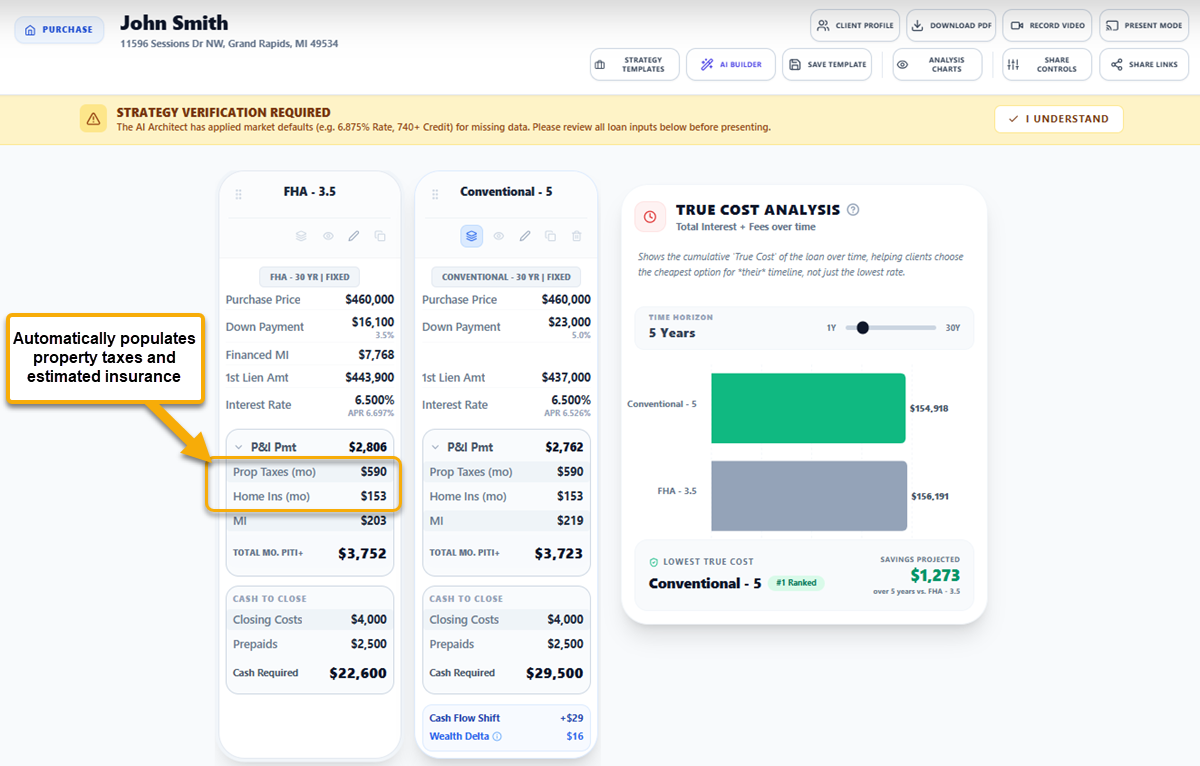
Faster Local Data: State average tax and insurance rates now load via a fast-path lookup. The Architect populates locale data instantly instead of waiting on a research call.

Construction Loan Guidance: Dedicated guidance for new-construction scenarios so the Architect builds the right structure (interim financing, end-loan conversion) without having to be coached every time.

On-Demand Knowledge: Product knowledge no longer loads on every call. It loads only when you ask a product question, keeping strategy conversations fast and lean.

No More Cutoffs: Responses no longer get truncated mid-thought on complex strategies. Full builds, complete every time.

FEATURE

The Lens Guide Now Points to What It Is Talking About

Asking the Lens Guide where to find a feature used to give you a description. Now it gives you the spot.

Inline Highlights From Chat: When the Guide tells you about a button, badge, slider, or input, the actual UI element pulses in place so you can see exactly where it lives. No hunting, no scrolling.

Click to Pulse: Highlighted terms inside the Guide's answers are clickable. Click 'Sandbox toggle' in the answer, the real Sandbox toggle pulses on screen. Built for advisors who learn by doing.

36-Entry Symbolic Registry: The Guide knows the precise location of every major surface in the workspace: scenario card tools, sandbox controls, all module entry points, AI agents, share controls, and more. A build-time validator keeps the registry in sync with the code so the highlights never drift.

Faster, Smarter Brain: The Guide also moved to a faster model with prompt caching. Same precision, snappier responses, lower latency on every question.

FEATURE

Listing Builder: One-Click Open House Pages

Your next open house runs itself. Build a branded property landing page without leaving the strategy screen. One click from the toolbar. Zero friction.

One-Click From The Toolbar: When you're inside a Purchase strategy, a new "Listing Page" button appears in the toolbar. Click it. The form opens pre-filled with the property address, price, beds, baths, sqft, taxes, and HOA, pulled directly from the strategy you already built. No double data entry. No switching screens.

Google Street View Auto-Fetch: Don't have a property photo? Click "Auto-Fetch Google Street View" and the system pulls a high-resolution exterior image of the home using the address. Preview it, accept it, done. Your listing page has a hero image in 3 seconds.

Realtor Co-Branding: Link your listing agent partner with headshot, brokerage logo, and direct phone/email CTAs. Create new partners on the fly without leaving the listing builder.

Interactive Financing Scenarios: Buyers scan a QR code, see the listing, and explore interactive financing scenarios powered by your WealthLens strategy. Every scenario card recalculates in real time. You see engagement in your dashboard before the open house ends.
Edit Anytime: Access your listing pages from the sidebar. Update property details, swap the hero image, or change the linked strategy. Your listing page stays current without rebuilding from scratch.

Listing Builder: One-Click Open House Pages - Image 1
Listing Builder: One-Click Open House Pages - Image 2
Listing Builder: One-Click Open House Pages - Image 3
ANNOUNCEMENT

Bulletin: Your Unfair Advantage Stack

Most advisors compete on rate. You compete on intelligence. Here are 6 advantages your competitors cannot match right now.

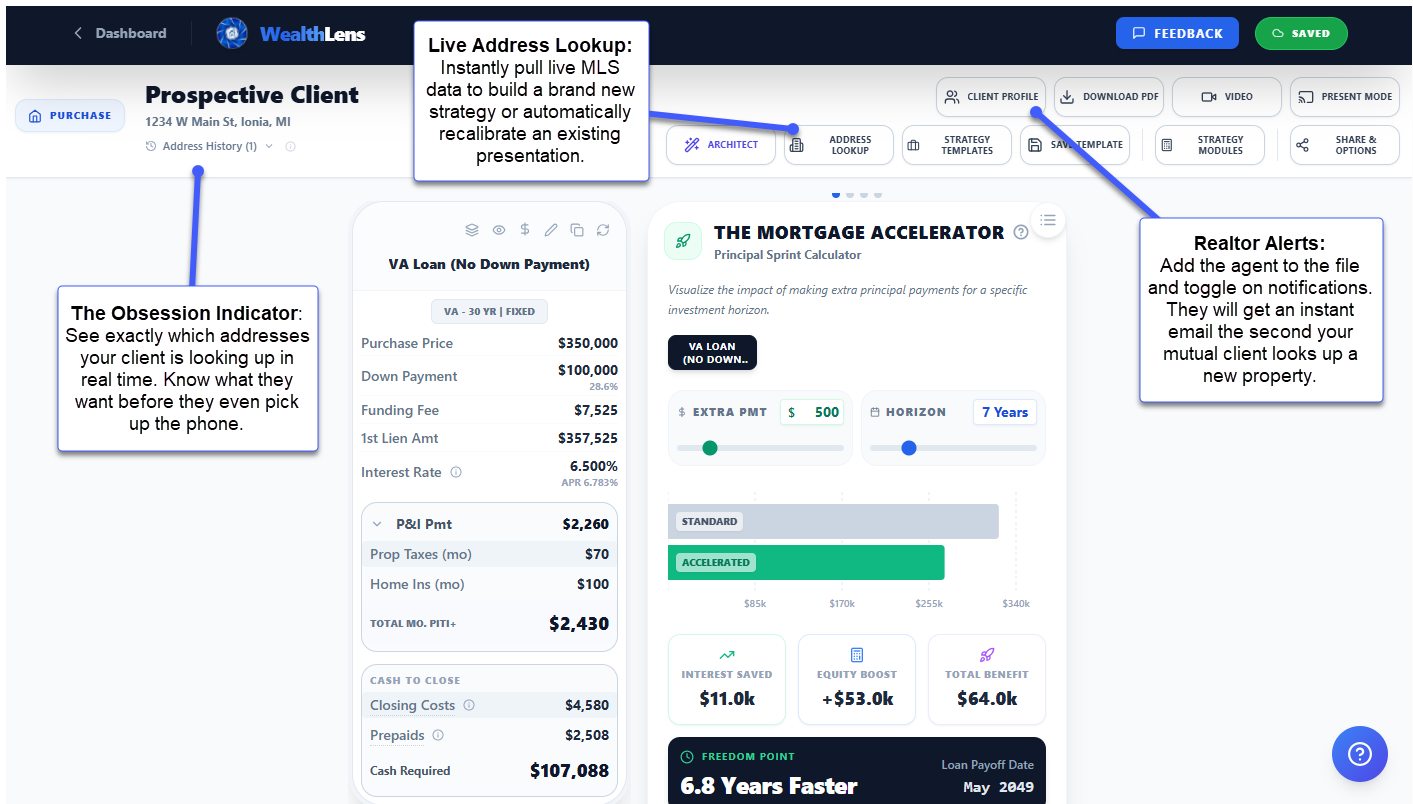
Realtor Property Alerts: Your buyer's agent gets notified the moment their client searches a property through your link, with the exact address. You become the source of high-intent leads.

Max Payment Guardrails: Clients exploring properties in the Sandbox hit a red ceiling if they exceed their qualified payment. Pre-screening without a phone call.

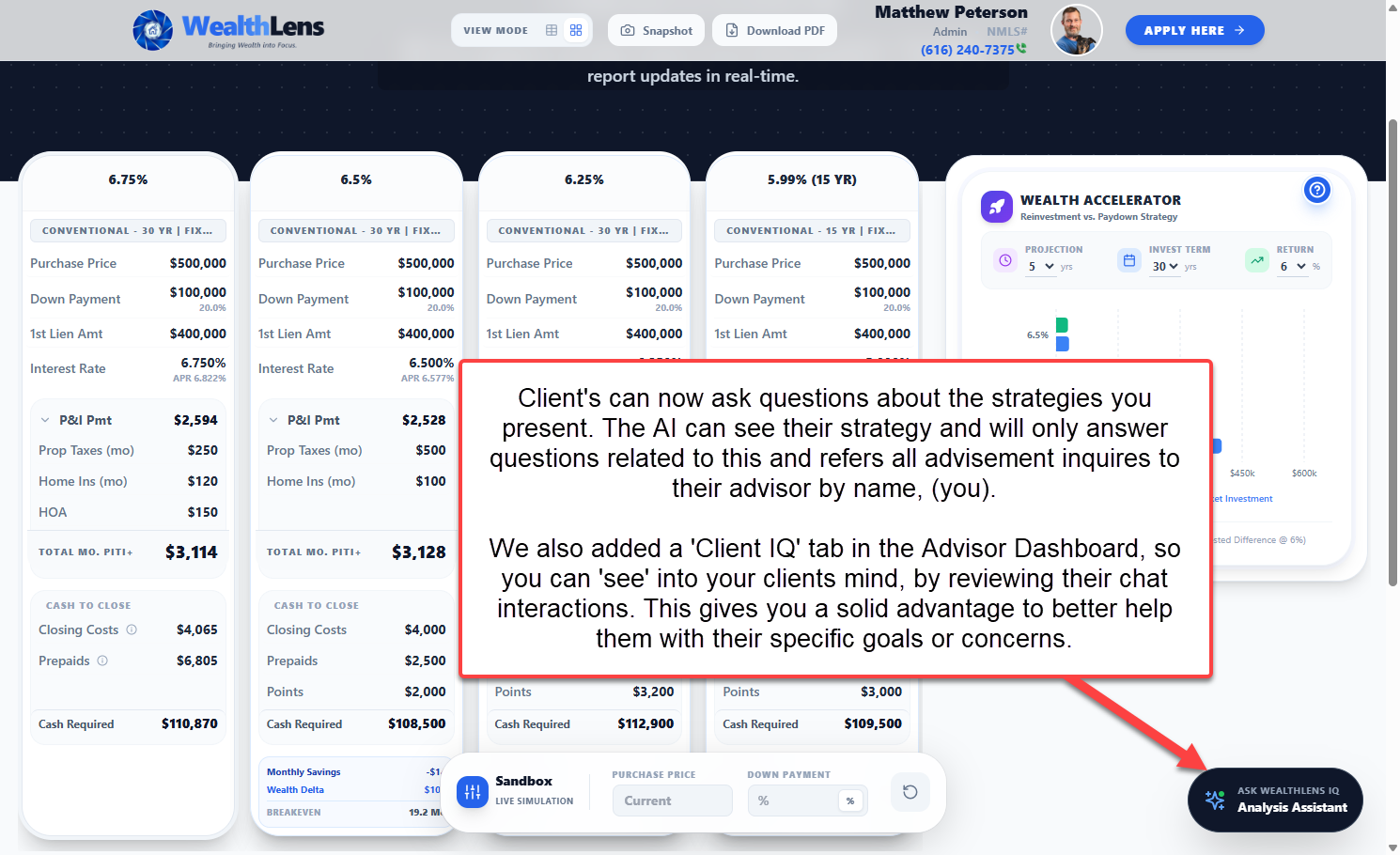
Client IQ Auto-Flagging: When a borrower mentions rate shopping, a competitor, or cold feet in chat, your dashboard lights up with an URGENT badge and the exact reason. You call first.

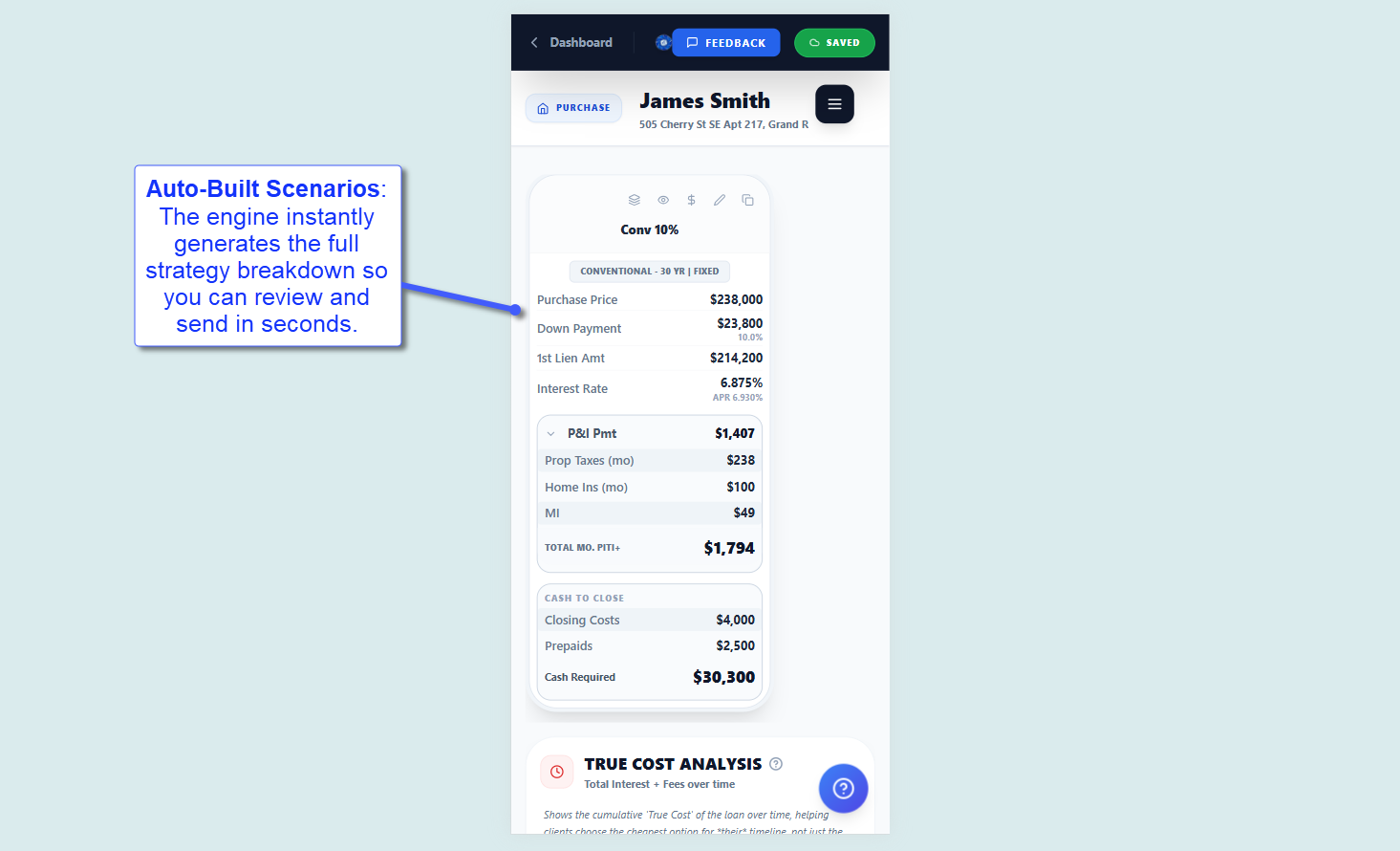
Live Sandbox: Clients adjust price, rate, and down payment on their own strategy link. Every change recalculates instantly. Engagement you can see, leads you can act on.

WealthLens IQ (24/7): Your AI concierge answers mortgage questions at 11 PM using real scenario data. Clients stay informed. Your phone stays silent.

Personal Video Messages: Record a 60-second video walkthrough. Your face, your voice, their numbers. Trust at scale.

FEATURE

Client IQ: Know What They Are Thinking Before the Showing

Your borrowers talk to WealthLens IQ at midnight. They ask about rates, mention competitors, express doubt. Until now, those signals disappeared into a chat log.

Instant Intent Detection: When a client mentions rate shopping, a competitor name, job loss, or cold feet, the system flags the message automatically with a severity badge. No rules to configure, no setup.

Two Severity Levels: URGENT (red) for flight risks: rate shopping, competitor mentions, financial hardship. HOT (amber) for opportunities: ready to offer, pre-approval interest, funds confirmed.

Dashboard Visibility: Flagged sessions surface in your Client IQ dashboard with the exact reason. You see "Rate shopping detected" and call before they submit an application somewhere else.

FEATURE

Install the App. One Click.

WealthLens now installs as a native app on your desktop, Android, or iPhone. No app store. No download page. One click from the login screen or your dashboard sidebar.

Desktop: Chrome and Edge show a native install prompt. Click once, WealthLens lives in your taskbar permanently. Opens full-screen, no browser chrome.

iPhone: A guided 3-step walkthrough (Share > Add to Home Screen) appears automatically. Your home screen, your app icon, instant access.

Always There: The install link stays visible in your sidebar until you install. After that, you launch WealthLens like any other app on your device.

IMPROVEMENT

Smarter, Faster Property Intelligence

Property lookups just got significantly more accurate and twice as fast.

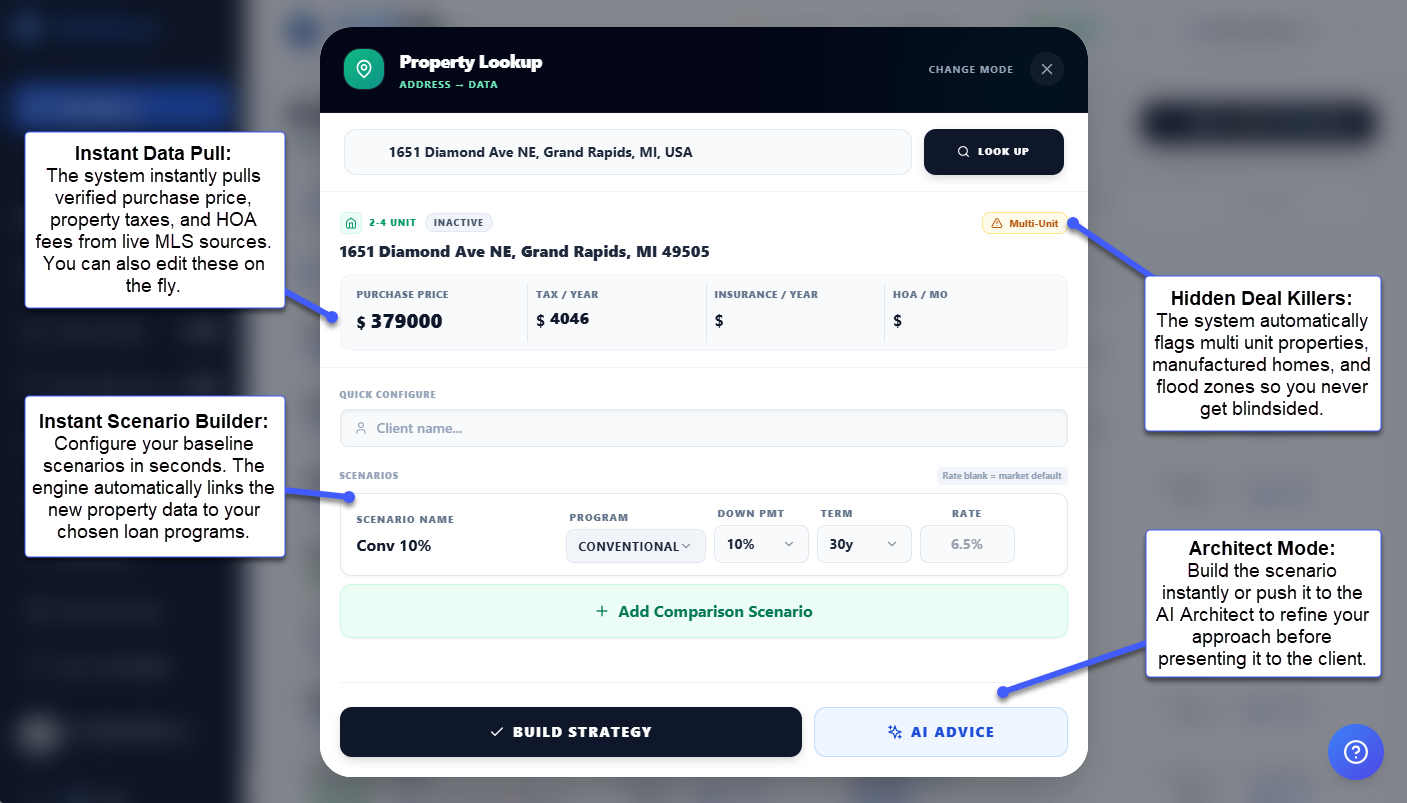
Cross-Verified Pricing: Listing prices are now verified against multiple public data sources with a confidence score (HIGH, MEDIUM, LOW). You see exactly how confident the system is before presenting numbers to a client.

Editable Results: Before applying property data to your strategy, you can adjust price, taxes, insurance, and HOA in a clean edit panel. Verify first, apply second.

Tax Data Extraction: Property tax estimates now pull from listing data when available instead of relying solely on state averages. More precision, less guesswork.

Existing Client Detection: Search a property for an existing client and the system offers to open their file directly. No duplicate strategies, no wasted clicks.

IMPROVEMENT

7 AI Functions Upgraded. Zero Extra Clicks.

Every AI function in WealthLens got smarter this week. The Architect, WealthLens IQ, Guideline Gary, the Co-Pilot, all upgraded. Here is what changed.

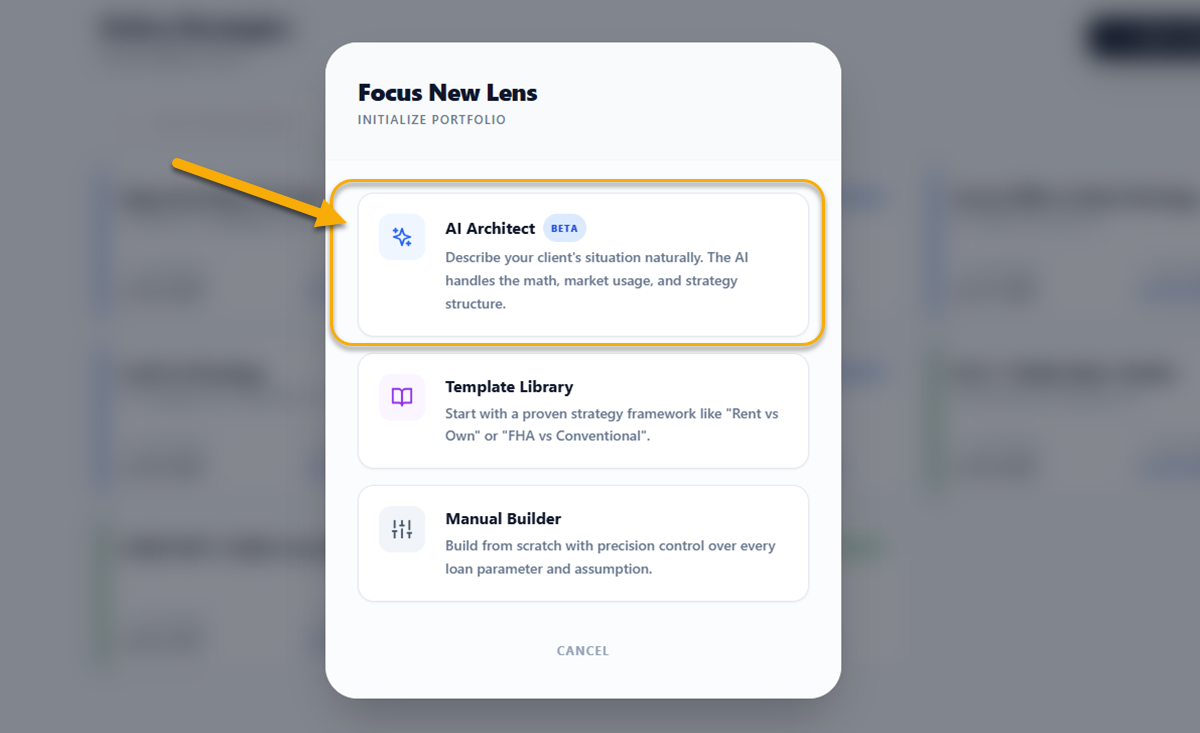
The Architect Thinks Strategically: Instead of asking you for 10 data points upfront, the Architect now opens with one question about your client's situation. It recommends specific scenarios and analysis modules, explains why each one matters, then builds. Every session is a micro-training moment.

WealthLens IQ Remembers Everything: Client chat now carries full conversation history across messages. It references real numbers from the strategy, knows which charts are visible, and answers with confidence instead of generic disclaimers.

Feedback On Every Response: Thumbs up or thumbs down on every AI answer, across every interface. Negative feedback triggers an instant alert to the platform team. Your input makes the AI sharper for everyone.

Connected Intelligence: The Architect checks guidelines automatically in the background. The Co-Pilot reads the Architect's strategic notes. Each function builds on what the others already know about your client. Plus: mathematical precision hardened across 15 computation sites.

FEATURE

New Update: Shared AI Memory

Your AI finally has a shared brain.

If you have to tell "Guideline Gary" the same thing you just told "The Architect," you are the middleman. You are being a "Data Entry Slave" for your own software.

We just ended that. Your AI agents now talk to each other so you don't have to.

The "Zero Redundancy" Stack:

Zero Re-Prompting: When The Architect learns the FICO, LTV, and employment type, the whole team knows it. No more copying and pasting context between windows.

The "Gary" Nudge: While you're working, Guideline Gary is watching in the background. If he spots a red flag (low FICO, self-employed, etc.), he pings you with a nudge before you even think to ask.

Zero Lag: This intelligence sync happens in milliseconds while you type. Your flow never stops. It accelerates.

IMPROVEMENT

AI Copywriter V2: Welcome Messages That Sound Like You Wrote Them

Your welcome message is the first thing clients read. If it sounds like a template, you lose trust before they scroll.

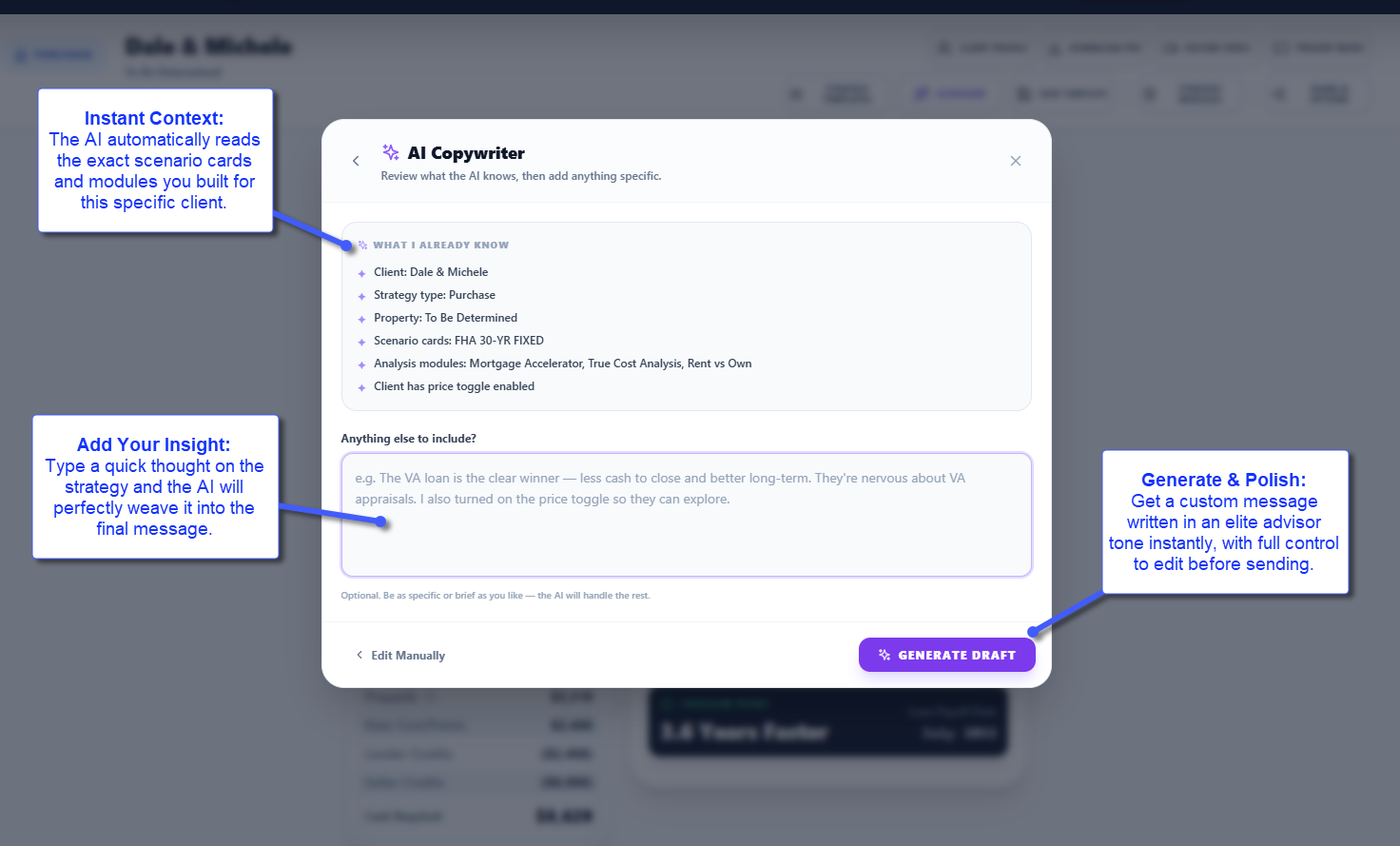
Context-Aware Intelligence: The AI reads your scenario cards, active modules, sandbox settings, and client profile before writing a single word. It references real numbers: monthly savings, breakeven timelines, interest avoided.

Your Voice, Amplified: Add context in the Advisor Note field (rate lock, lender credit, personal insight) and the AI gives it absolute priority. The result reads like you wrote it, not a machine.

AI Copywriter V2: Welcome Messages That Sound Like You Wrote Them - Image 1
AI Copywriter V2: Welcome Messages That Sound Like You Wrote Them - Image 2
AI Copywriter V2: Welcome Messages That Sound Like You Wrote Them - Image 3
FEATURE

Automated Escrow Account Setup & Aggregate Adjustment

Manual escrow math is slow, error-prone, and completely unnecessary.

Zero Guesswork: Enter the first payment month, disbursement frequency, and starting month for taxes and insurance. The engine maps out your required reserves perfectly.

RESPA-Compliant Aggregate Adjustment: The standard 2-month cushion aggregate adjustment is calculated automatically. Complex math, completely off your plate.

Custom Escrow Lines: Need to escrow a separate city tax or flood insurance policy? Add custom rows that roll seamlessly into the total collected reserves.

FEATURE

The Zillow Killer: Live Property Intelligence

Your client browses Zillow at 11 PM. They see a house they love. They have zero idea if the math works for their wealth strategy. That moment is a black hole in your process.

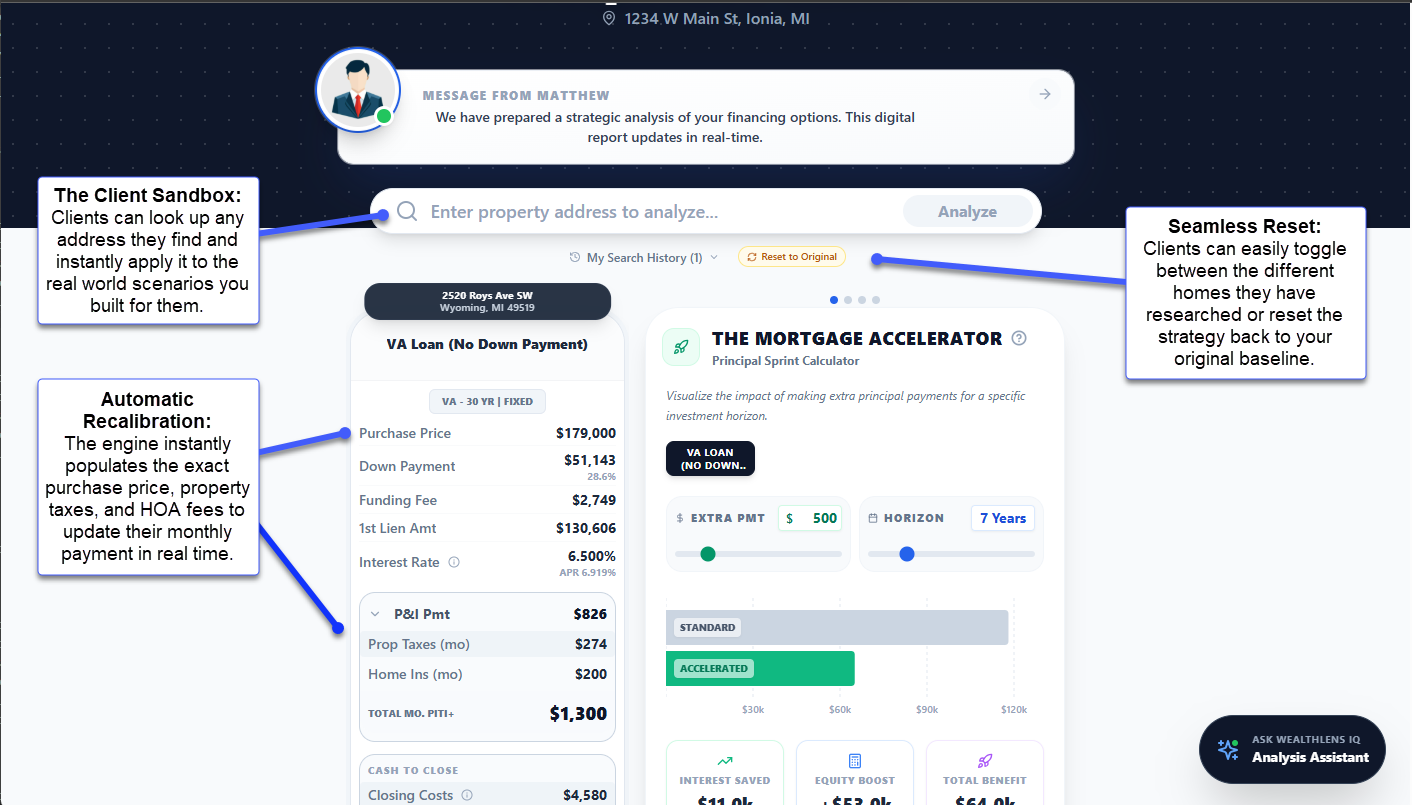
Real-Time Validation: Client pastes an address into your branded strategy link. Within seconds: verified purchase price, live property taxes, HOA data. Every scenario card recalculates automatically. Loan amount, down payment, all downstream figures cascade instantly.

The Intent Signal: Your dashboard shows every property they explored. Addresses searched multiple times surface with count badges (x2, x3). You see 123 Main St searched three times in one hour? You call first.

Realtor Tethering: Add your client's buyer's agent contact info in the client profile. Toggle notifications on, and the agent sees client search interest in real time. You become the source of high-intent leads, cementing the referral relationship.
The Zillow Killer: Live Property Intelligence - Image 1
The Zillow Killer: Live Property Intelligence - Image 2
The Zillow Killer: Live Property Intelligence - Image 3
FEATURE

Seamless Transition: Purchase to Refinance Strategy

When it is time to refinance the home you helped a client buy, rebuilding the strategy from scratch wastes time.
One-Click Conversion: Inside any Purchase Strategy card, click 'Convert to Refinance.' A new Refinance Strategy file generates instantly with the client's profile carried over.

Data Preservation: The original purchase inputs wrap into the Baseline Current Mortgage. Purchase-specific fields (down payments, seller credits) zero out automatically. Tell your client exactly what strike rate to watch for, zero redundant data entry.

IMPROVEMENT

Free & Clear: Precision Tracking for Unencumbered Properties

When building a Cash-Out Refinance or HELOC on a fully paid-off property, the system needs to handle that math correctly.

The Paid Off Toggle: Click 'Free & Clear' next to the Current Balance input. Historical balances zero out and inputs lock instantly.

Visual Clarity: Proposed scenarios adapt automatically. The base card displays a green FREE & CLEAR badge. Comparison cards show clean $0 values. Zero visual clutter.

FEATURE

Instant Scenario Creation: MISMO 3.4 XML Import

Manually typing a client's application data is slow and introduces errors. This eliminates that step entirely.

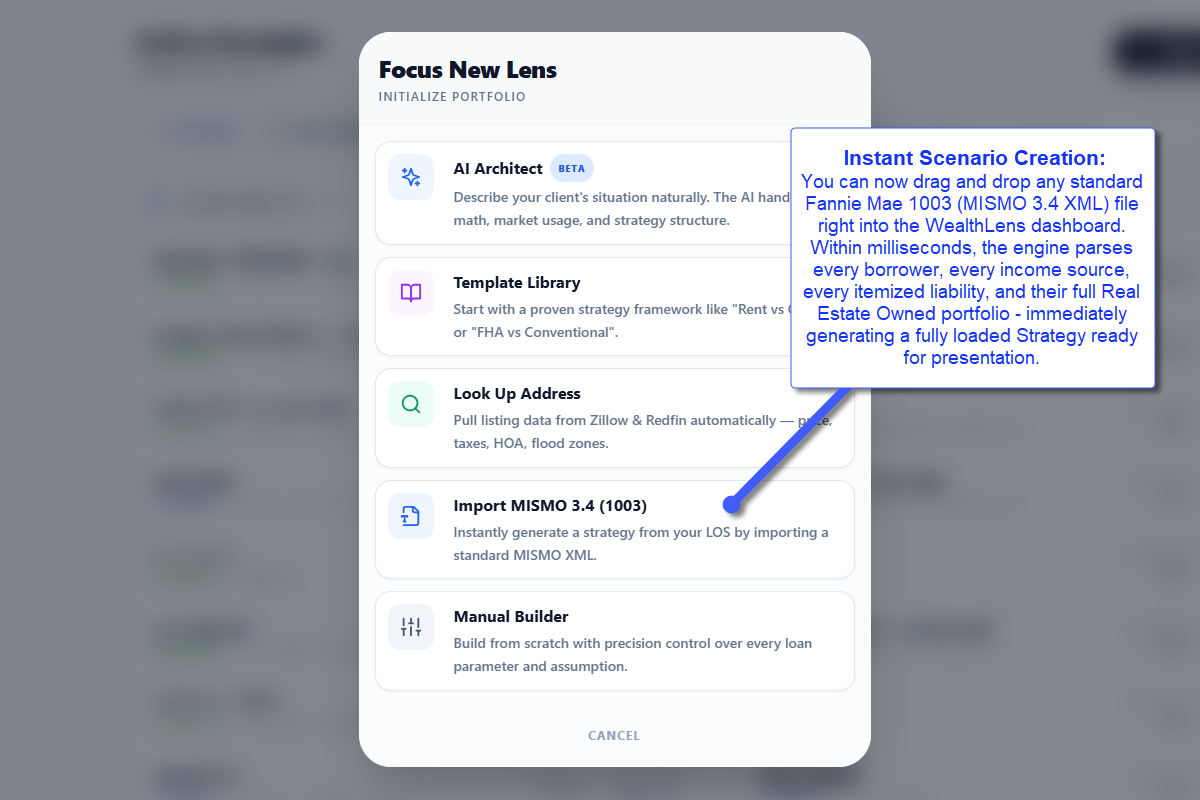
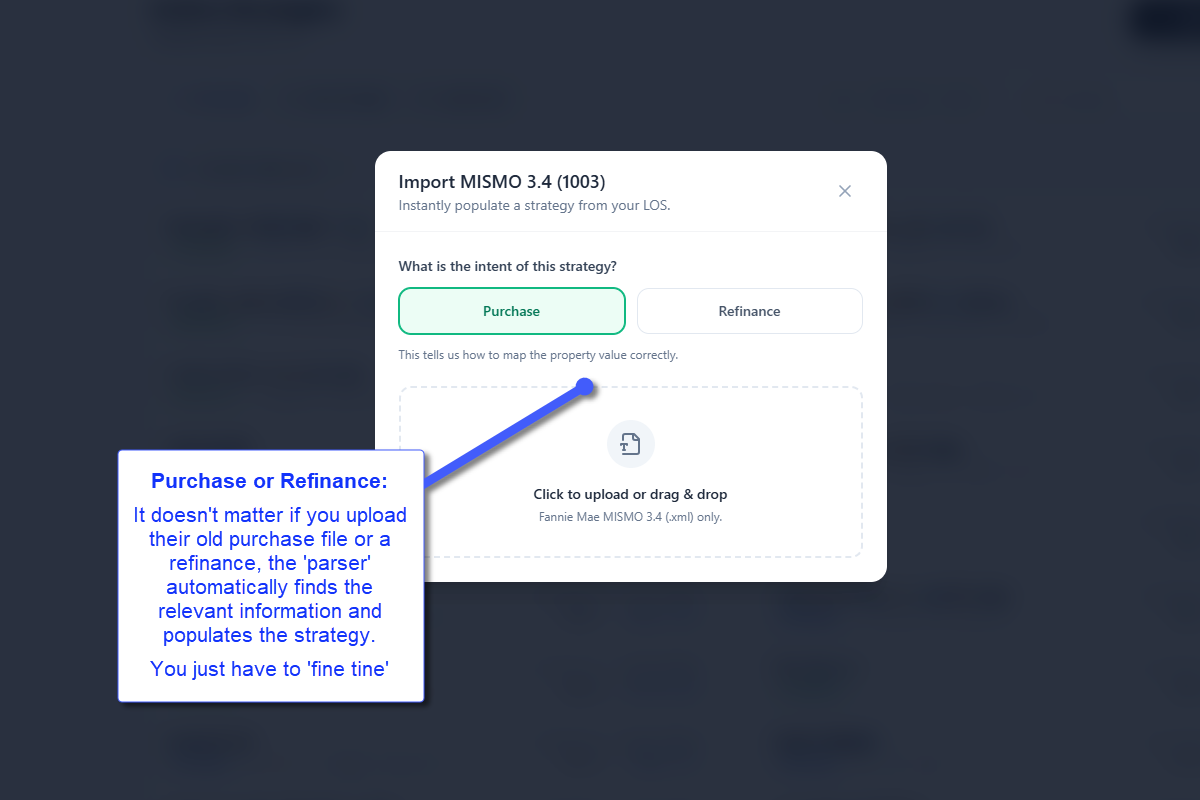
Zero Data Entry: Drag and drop any Fannie Mae 1003 (MISMO 3.4 XML) file into the dashboard. The engine parses every borrower, income source, liability, and REO portfolio in milliseconds. A fully loaded Strategy generates instantly.

100% Client-Side Security: The custom XML parser strips PII instantly. Data never hits a remote server. Never touches an AI model. Lives locally in your cache. Maximum speed, zero security compromise.

Instant Scenario Creation: MISMO 3.4 XML Import - Image 1
Instant Scenario Creation: MISMO 3.4 XML Import - Image 2
IMPROVEMENT

UI Polish: Scenario Cards & Tooltips

Visual refinements to ensure your strategy links look polished to clients.

Pixel-Perfect Client Views: Empty vertical space from hidden advisor tools eliminated on scenario cards. Current Mortgage card hugs its content. Ghost rows removed.

Smarter Tooltips & Toggles: Tooltips inside Fee Worksheet and scenario cards never clip off-screen. APR/Non-APR toggles repositioned for cleaner editing.

FEATURE

New Module: Refi Strategy Matrix

Most advisors build refinances backwards: pull a rate, guess closing costs, hope the breakeven works. This replaces guessing with a grading engine.

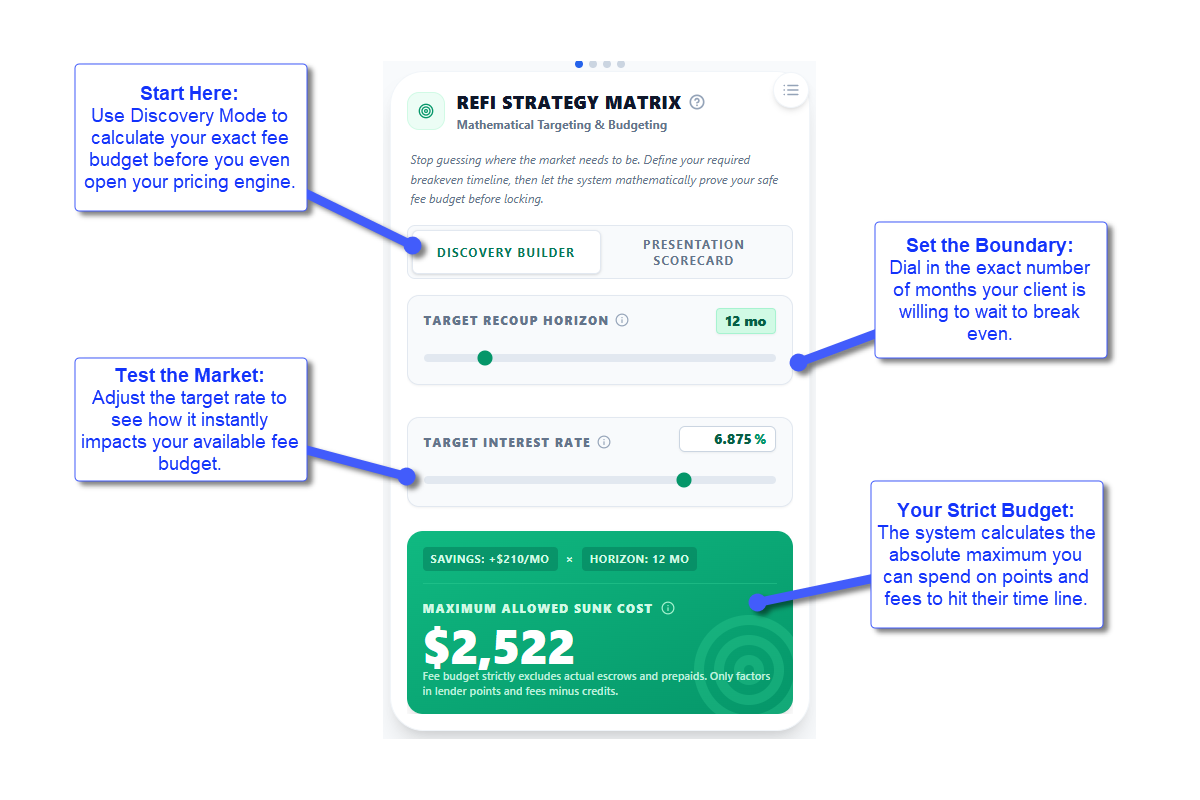
Discovery Mode: Define your target breakeven horizon and a theoretical rate. The Matrix calculates your Maximum Allowed Sunk Cost instantly. You get an exact fee budget before you lock a rate.

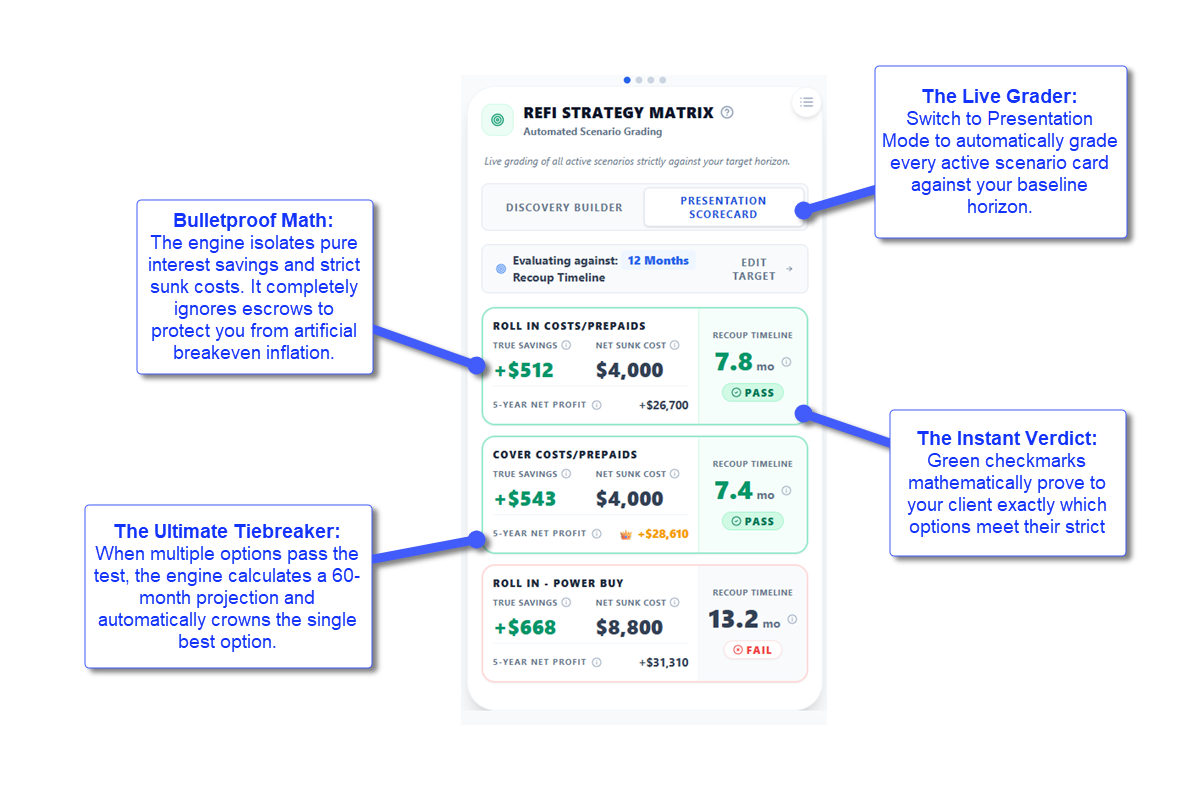
Presentation Scorecard: Switch to Presentation Mode and the Matrix grades every active scenario against your baseline horizon. Instant visual scorecard, no manual comparison.

True Cost Intelligence: The engine isolates True Savings (reduction in Interest and MI only, ignoring principal) against Net Sunk Cost (Closing Costs + Points minus Lender Credits, ignoring escrows). Protects you from breakeven inflation that ruins standard calculators.

5-Year Tiebreaker: When multiple options pass the horizon test, the Matrix calculates a 60-month Net Profit projection and crowns the best option with a golden Highest Yield badge. Emotion removed, math decides.

New Module: Refi Strategy Matrix - Image 1
New Module: Refi Strategy Matrix - Image 2
FEATURE

Default Fee Templates

Rebuilding your standard fee sheet for every new client file wastes time.
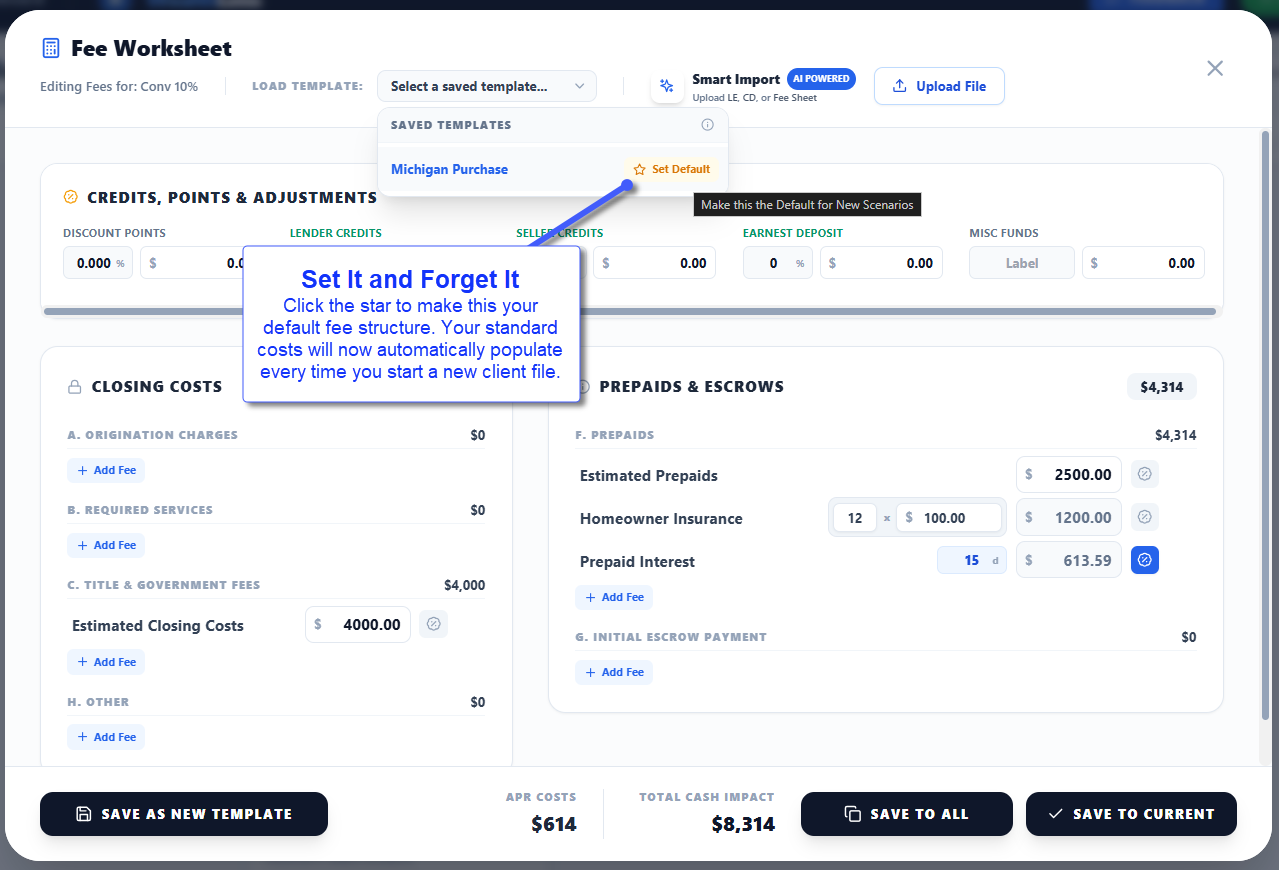
Set It Once: Save any Fee Template as your Default. Every new strategy auto-populates your default fees, overriding generic estimates instantly.

One-Click Selector: A clean popover menu inside the Fee Worksheet lets you load any template or tap the Star icon to crown a new default. One less step per presentation.

Default Fee Templates
FEATURE

On-the-Go Property Intelligence

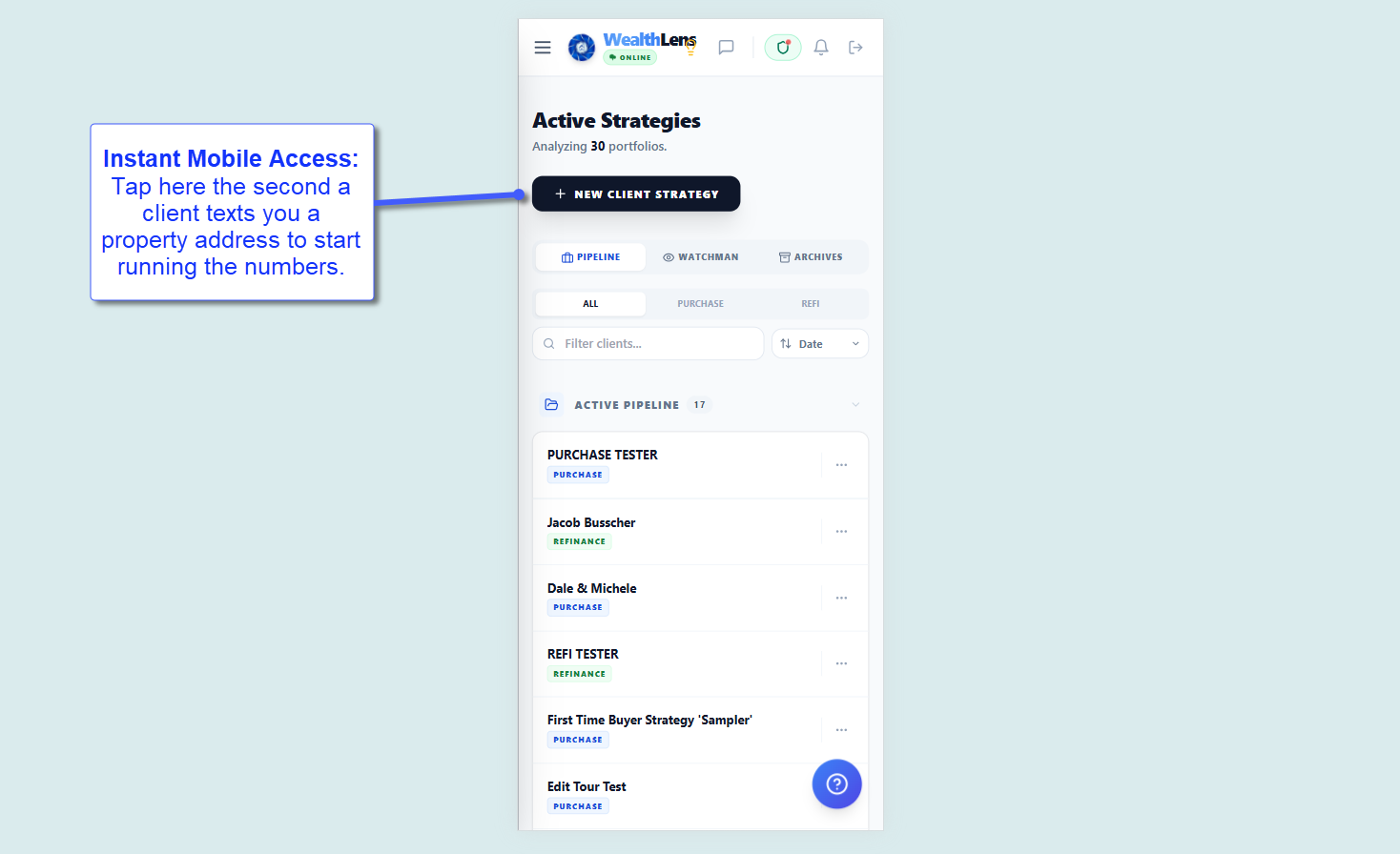
Client texts you an address while you are out. Previously, you waited until you got to your laptop to run the numbers.

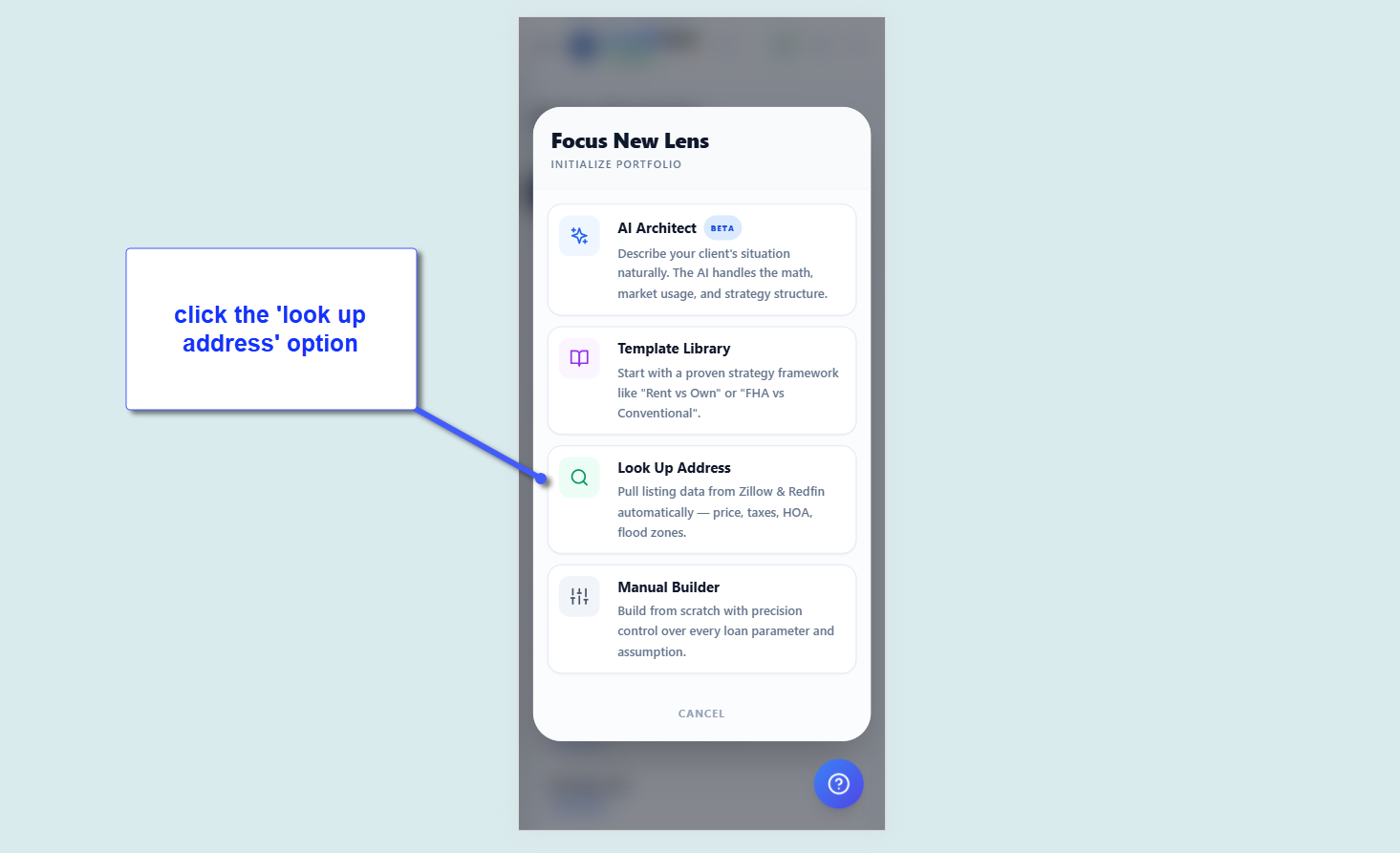
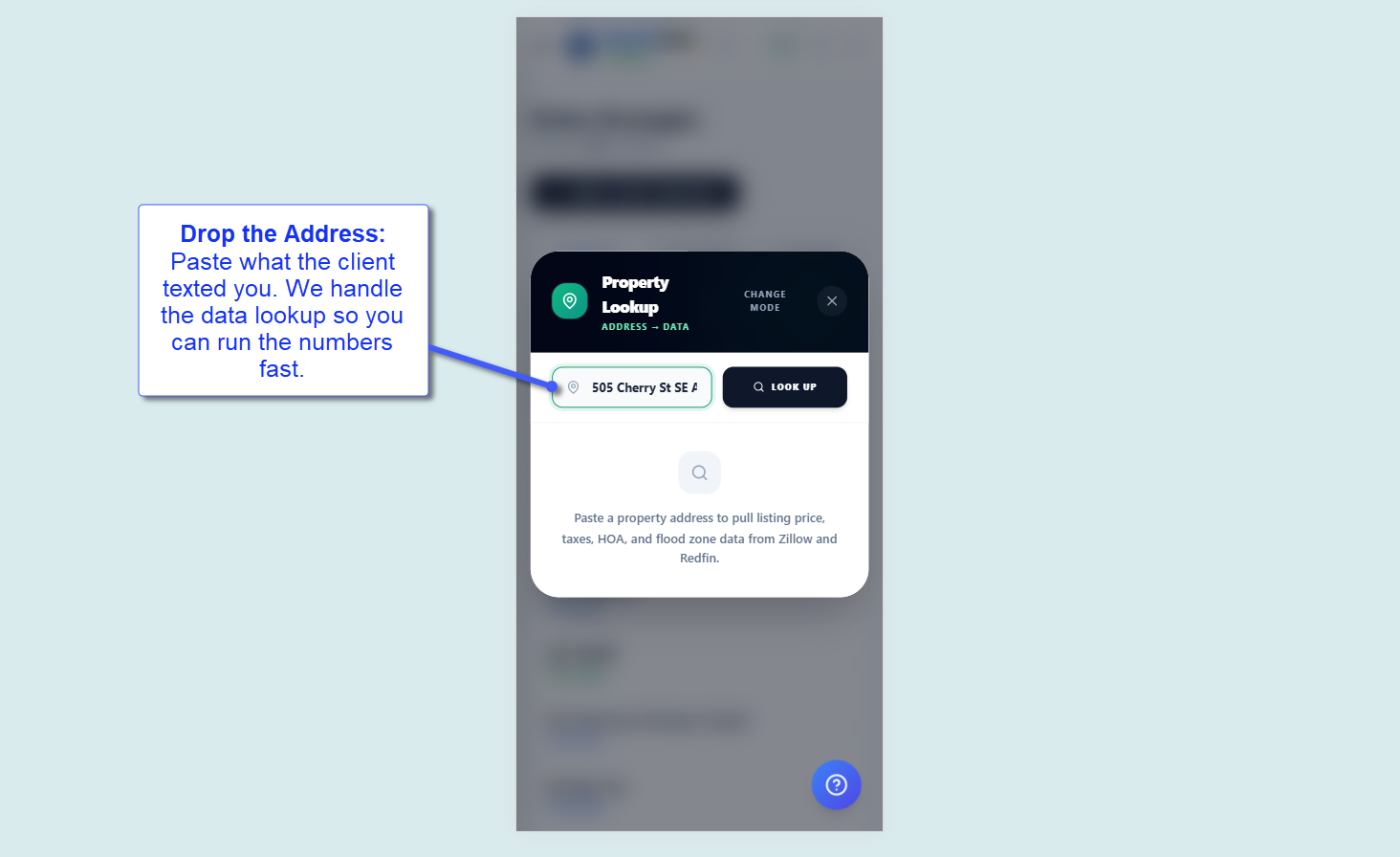
60-Second Strategy from Your Phone: Open WealthLens on your device, tap New Strategy > Look Up Address, paste the address.

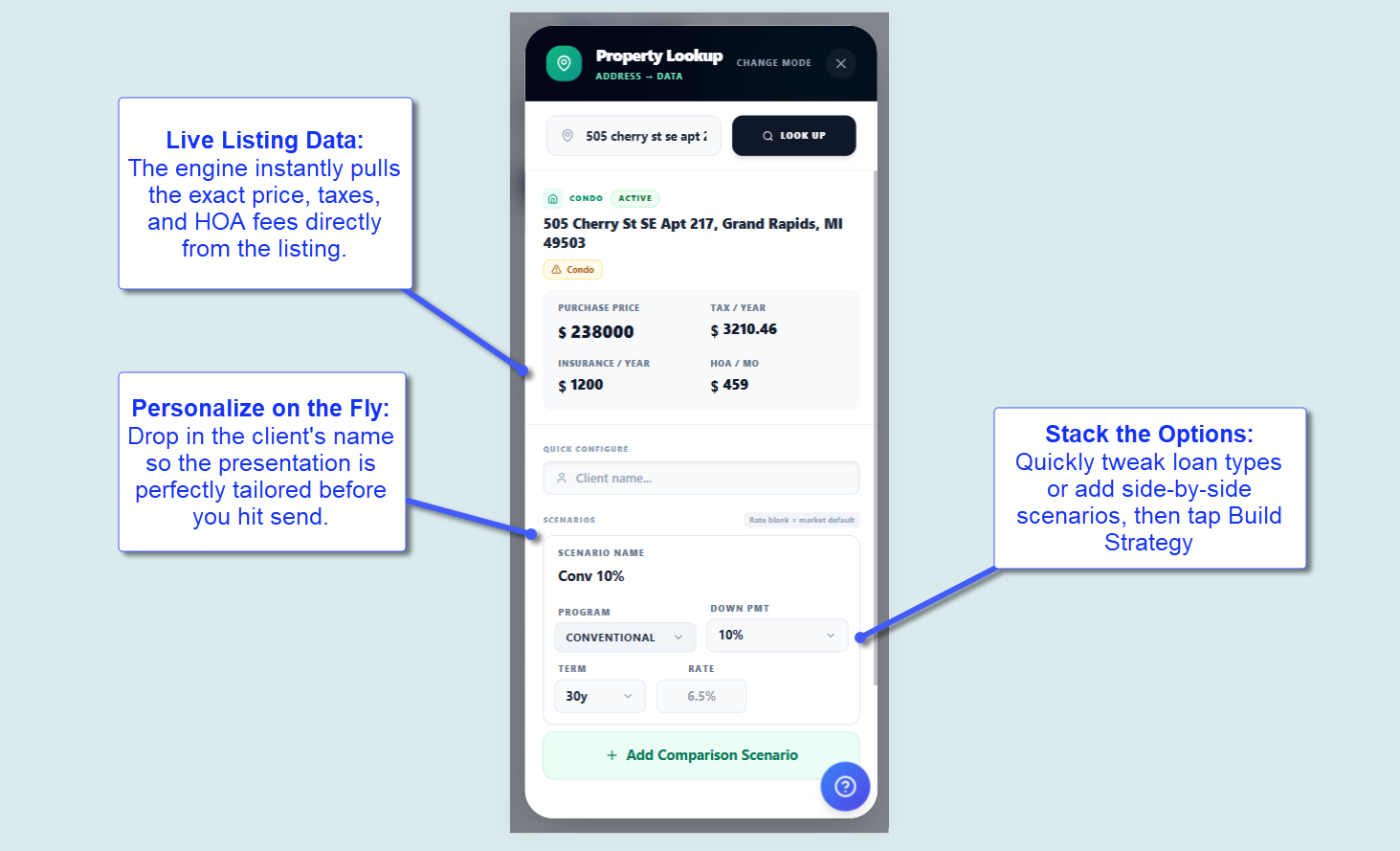
Instant Data: The engine pulls listing price, property taxes, HOA fees, and insurance estimates. Build scenarios and send a live, branded strategy link before the conversation goes cold.

On-the-Go Property Intelligence - Image 1
On-the-Go Property Intelligence - Image 2
On-the-Go Property Intelligence - Image 3
On-the-Go Property Intelligence - Image 4
On-the-Go Property Intelligence - Image 5
On-the-Go Property Intelligence - Image 6
On-the-Go Property Intelligence - Image 7
IMPROVEMENT

Refined Advisor Profile & "Squircle" Avatars

Your digital signature just got a premium upgrade.
The Apple Aesthetic: Profile editor redesigned with tight spacing, focused branding, and a new image cropper for perfect headshot framing.
The Squircle Protocol: Small avatars stay as circles for quick visual anchoring. Your presentation footer now uses a modern 4:5 Squircle for a proper, professional posture shot.

FEATURE

New Module: Capital Accelerator (Beta)

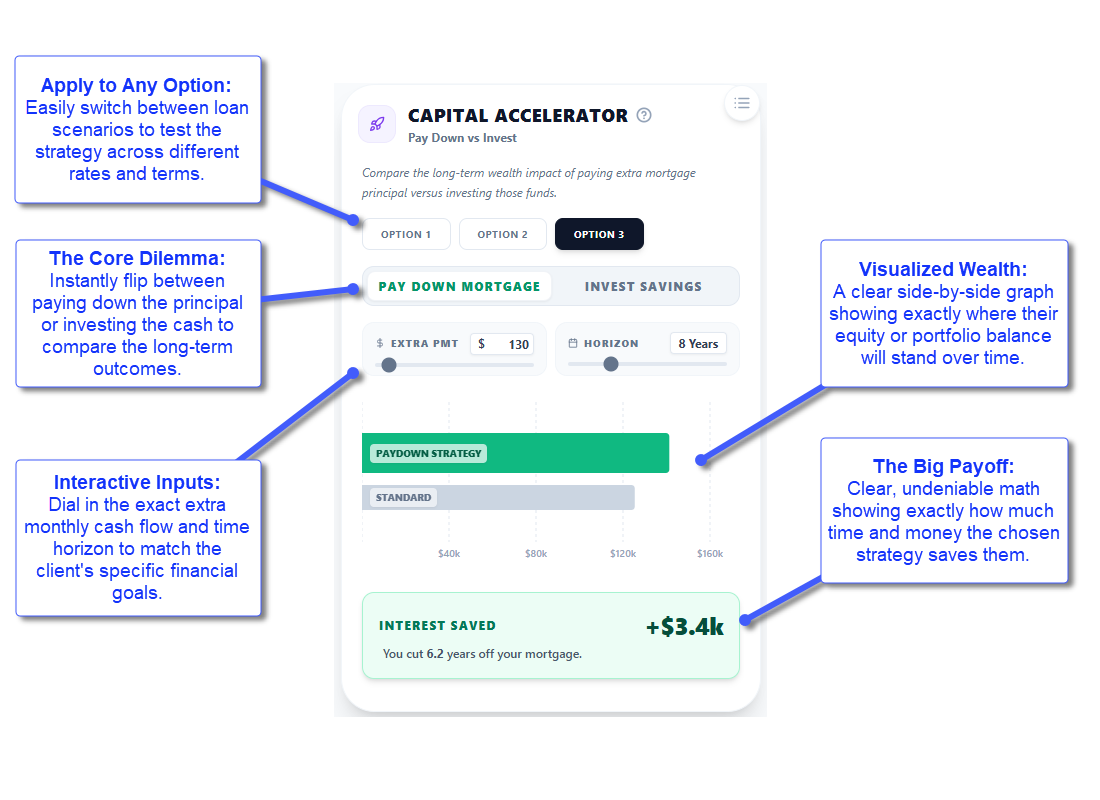
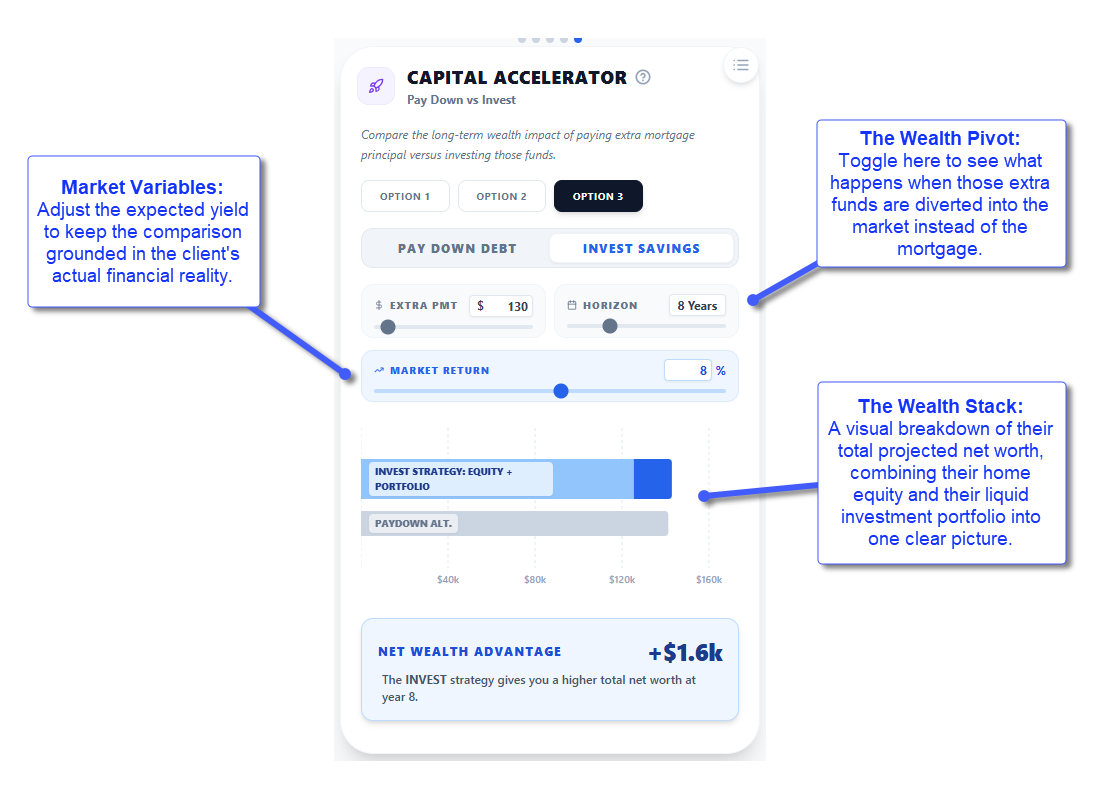
Clients with extra monthly cash flow don't know whether to pay off a 6.5% mortgage or invest for a 7% market return.

Invest vs. Pay Down, Visualized: This module shows both paths side by side, merging the Mortgage Accelerator and Wealth Accelerator into one unified view.

Strategic Clarity: Show clients exactly where their net worth lands in 10 years, mathematically. They stop guessing and choose their strategy with confidence.

New Module: Capital Accelerator (Beta) - Image 1
New Module: Capital Accelerator (Beta) - Image 2
IMPROVEMENT

AI Copywriter, Smarter, Faster & Actually Personal

The welcome message your clients see before reviewing their strategy is your first impression. Generic copy kills trust.

It Knows What You Built: The AI reads every visible scenario card, active analysis section, and sandbox toggle, then writes about what is there and why it matters. No boilerplate.

One-Tap Personalization: Add a quick note about your key insight or a concern, hit Generate. A personalized 30-second read lands before they have clicked in.

Advisor Voice: The AI writes like you talk. Peer-to-peer, no jargon, no hard sell.

AI Copywriter, Smarter, Faster & Actually Personal - Image 1
AI Copywriter, Smarter, Faster & Actually Personal - Image 2
AI Copywriter, Smarter, Faster & Actually Personal - Image 3
FEATURE

Interactive Guided Walkthroughs

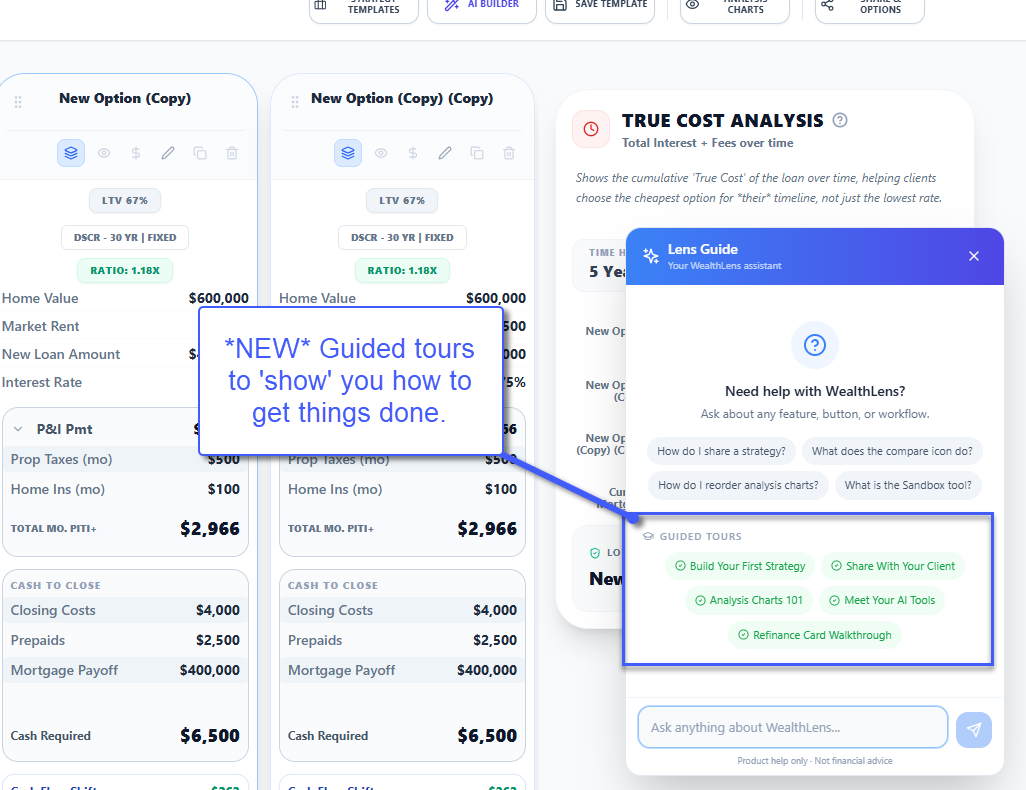
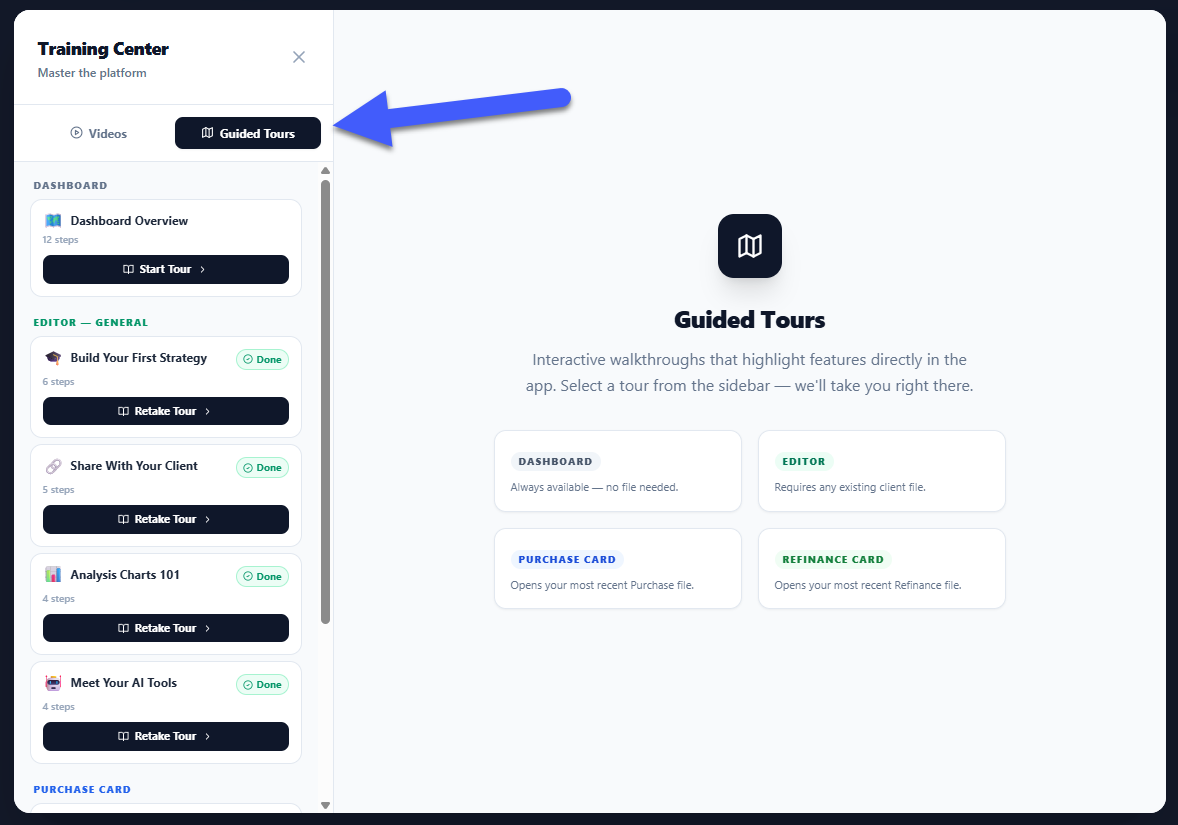
Six interactive walkthroughs that spotlight every feature in the workspace. Step by step, field by field.

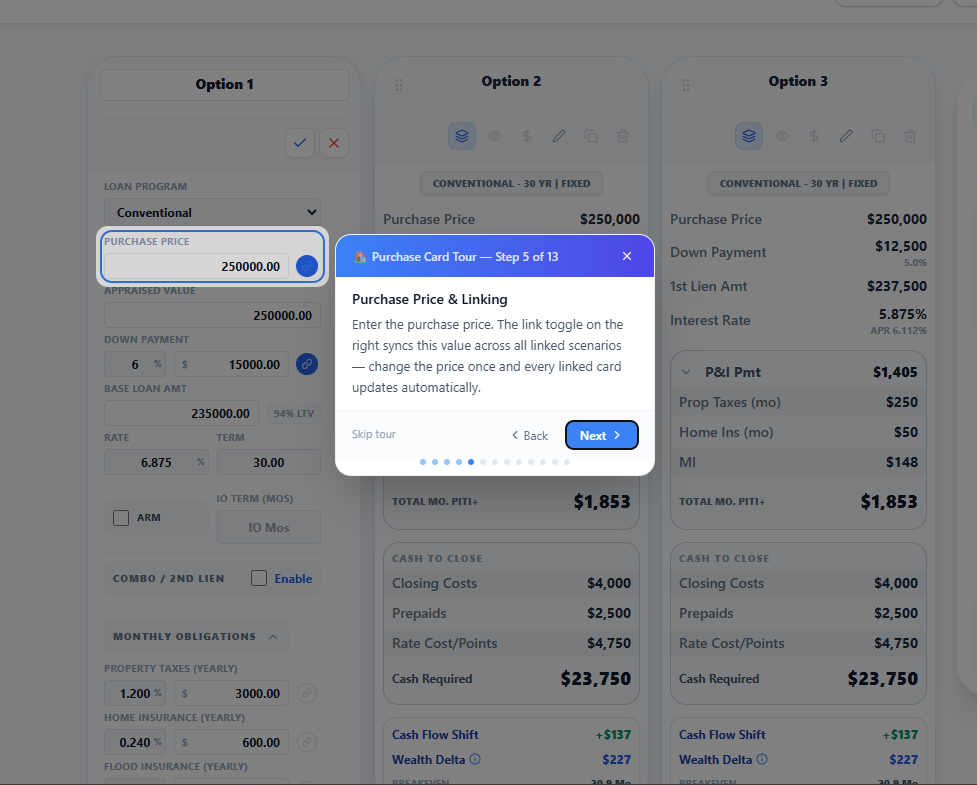
Six Tours, Zero Guesswork: Dashboard Basics, Present Mode, Analysis Charts, AI Tools, Purchase Card Deep-Dive, and Refinance Card Deep-Dive. Each tour auto-opens relevant cards, expands hidden sections, and scrolls to the right spot.

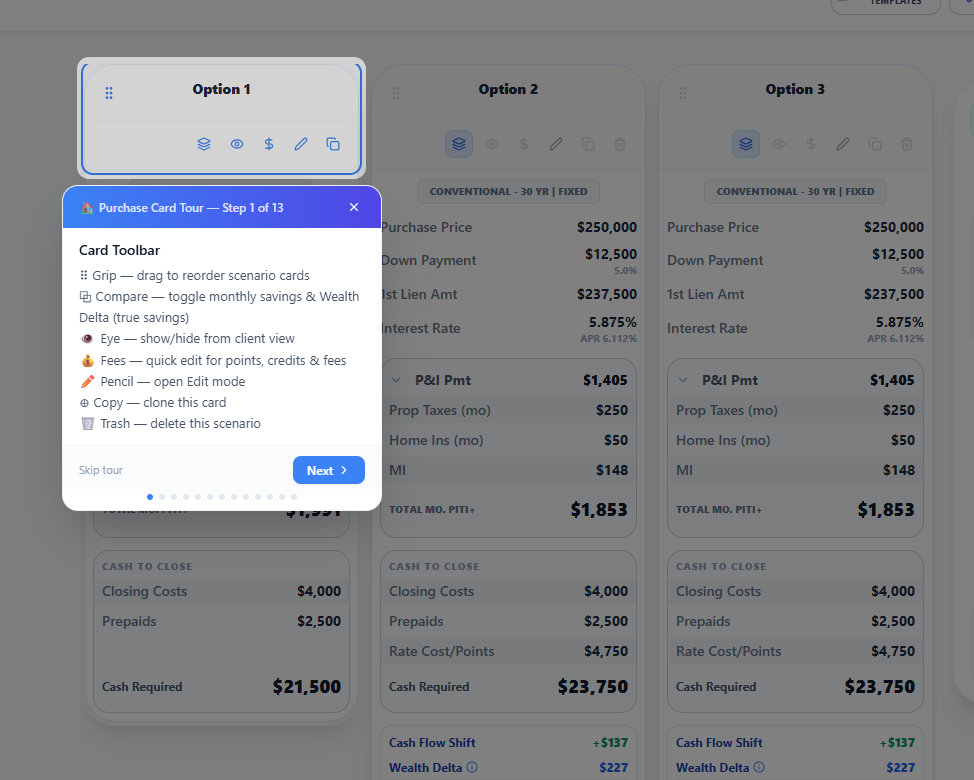
Card Tools Spotlight: Before entering edit mode, each tour highlights toolbar icons (Compare, Hide, Quick Fees, Edit, Clone, Delete) so every advisor knows what each button does.

Built for Speed: Concise, advisor-grade copy at every step. No fluff, just what you need to master every input and tool.

Interactive Guided Walkthroughs - Image 1
Interactive Guided Walkthroughs - Image 2
Interactive Guided Walkthroughs - Image 3
Interactive Guided Walkthroughs - Image 4
FEATURE

New Loan Type: DSCR (Investment Property)

Investment property strategies now get first-class treatment.

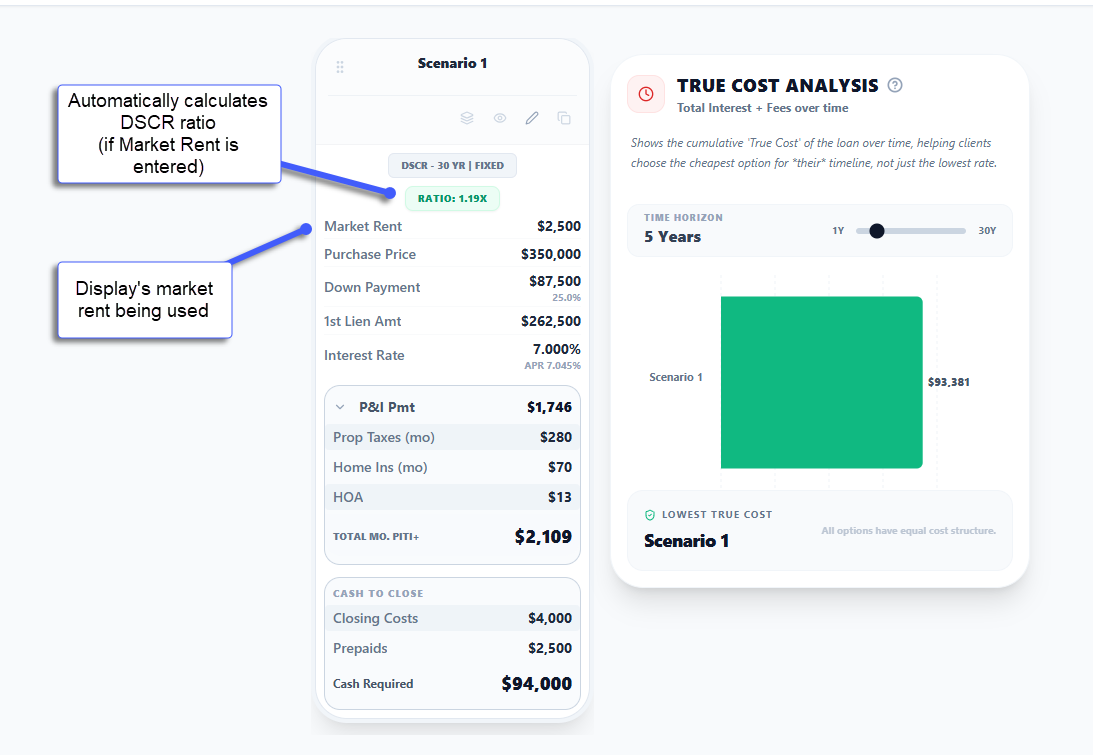
Ratio, Not DTI: Select DSCR from Loan Program, enter expected Market Rent. WealthLens calculates the coverage ratio (Rent / PITI) and displays a color-coded badge: green (1.0x+), amber (0.75 to 0.99x), red (below 0.75x). Hover for the full breakdown.

No Mortgage Insurance: DSCR loans never carry MI or upfront funding fees regardless of LTV. Handled automatically, zero manual overrides.

Side-by-Side Clarity: Comparing DSCR against Conventional or FHA? Ghost row alignment keeps every data row perfectly synced across cards.

New Loan Type: DSCR (Investment Property)
FEATURE

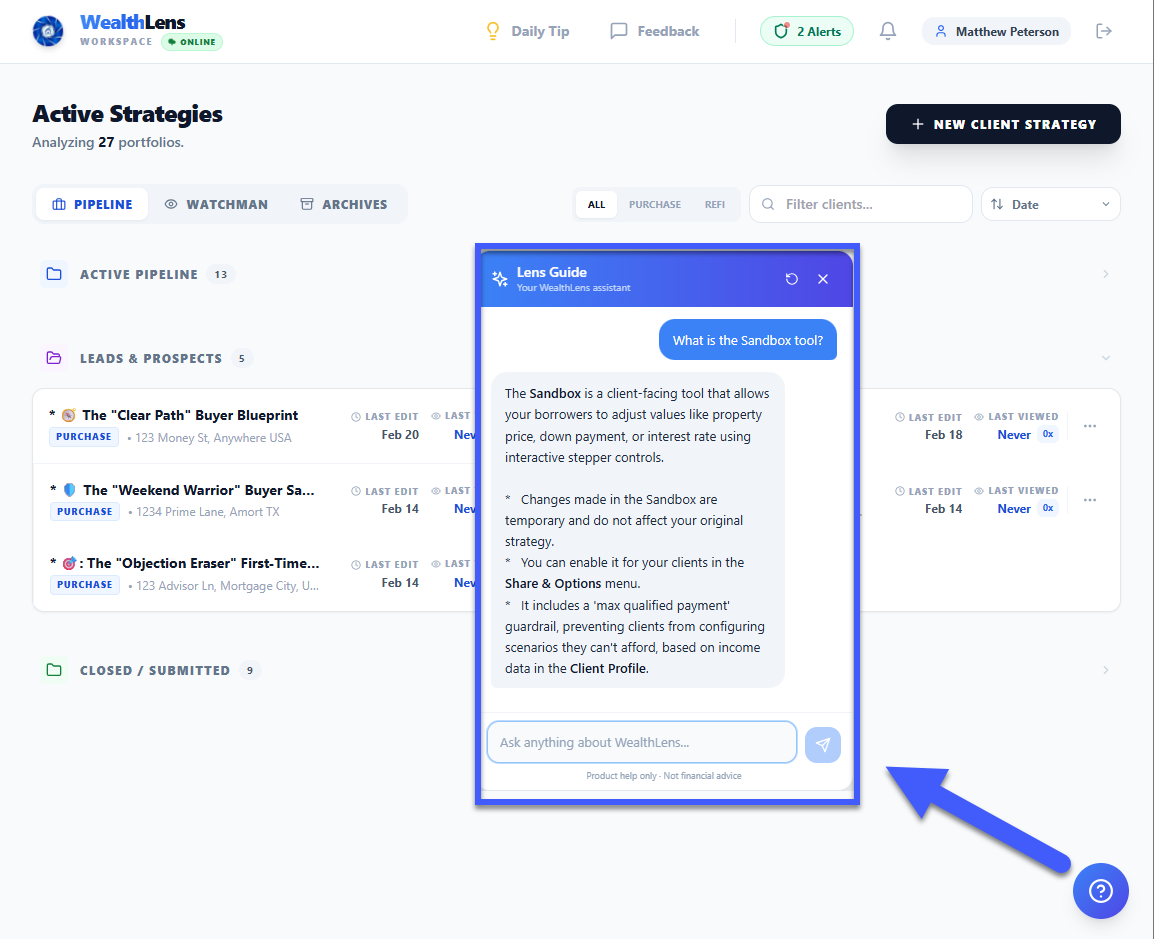
Meet the Lens Guide, Your Personal WealthLens Expert

An AI-powered expert embedded directly inside the Advisor workspace. It knows every feature, shortcut, and strategy playbook.

Instant Expertise: Ask 'How do I set up a piggyback loan?' or 'Where is the Buydown visualizer?' and get step-by-step guidance tailored to your exact screen.

Strategy Playbooks: Eight pre-built playbooks (Appraisal Gap, Debt Consolidation, and more) give you ready-made recipes for common scenarios. The Guide detects your intent and proactively offers the right one.

Always Learning: 50+ features covered, common jargon definitions, and upcoming features. Look for the teal book button in the bottom-right corner.

Meet the Lens Guide, Your Personal WealthLens Expert
IMPROVEMENT

AI Architect: Smarter, Faster & Module-Aware

The Strategy Architect just got its biggest upgrade. Faster, more accurate, and deeply integrated with every analysis tool.

Instant Local Data: Tell the Architect your client's area. It automatically looks up real tax rates and insurance costs. Dallas County? 1.74% tax, $4,945/year estimated insurance. Populated instantly, always editable.

Module Intelligence: The Architect knows all 18 analysis modules by name. It recommends exactly which charts to show and explains the story each one tells. Rate-anxious buyer? It suggests Cost of Waiting, Real Cost of Debt, and Rent vs. Own.

Faster Conversations: Property lookups and rate research run in dedicated background engines, keeping conversational responses noticeably snappier.

FEATURE

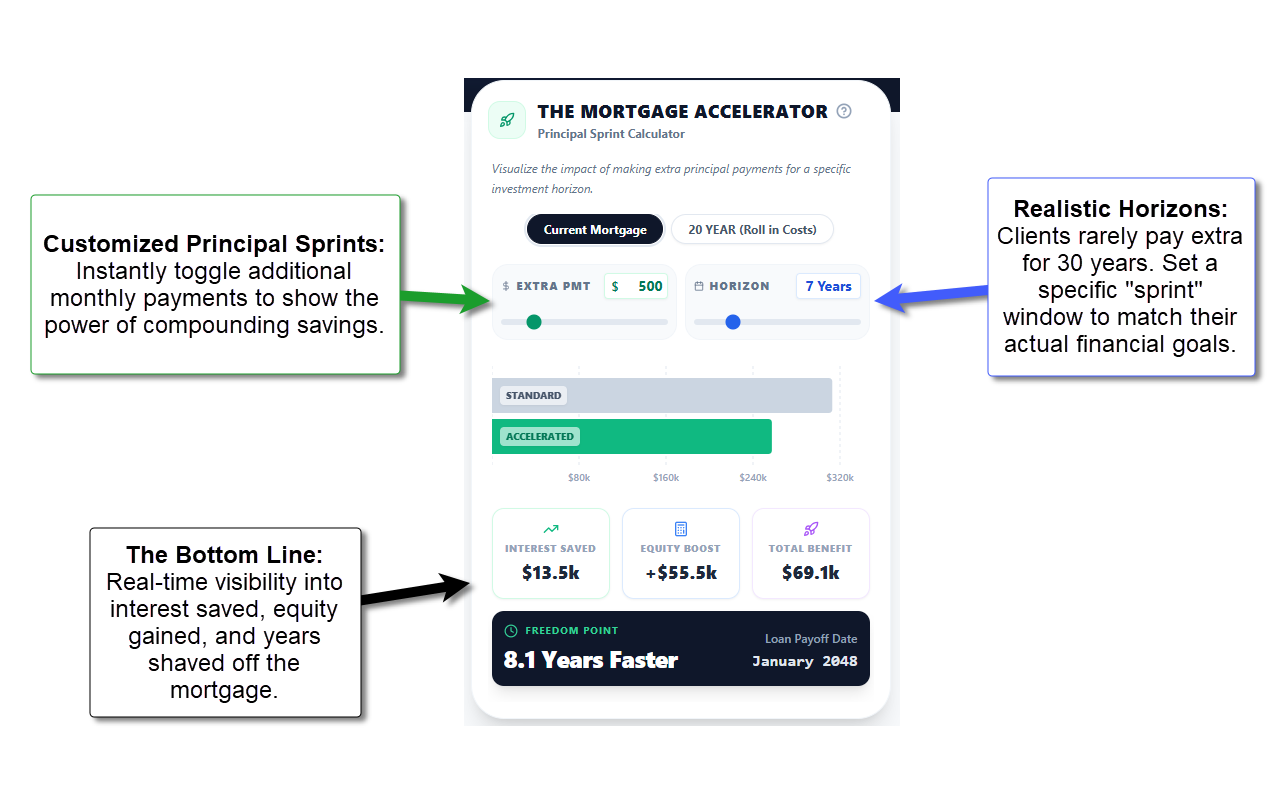
New Module: Mortgage Accelerator

The fastest path to wealth is a shorter mortgage. This module shows clients the dramatic impact of small extra principal payments.

The Freedom Point: The exact date your client becomes mortgage-free. A standard 30-year obligation becomes a 22-year (or less) wealth-building asset.

Interest Eliminated: See precisely how many tens of thousands of dollars in interest your client avoids over the life of the loan. Numbers that close deals.

New Module: Mortgage Accelerator
FEATURE

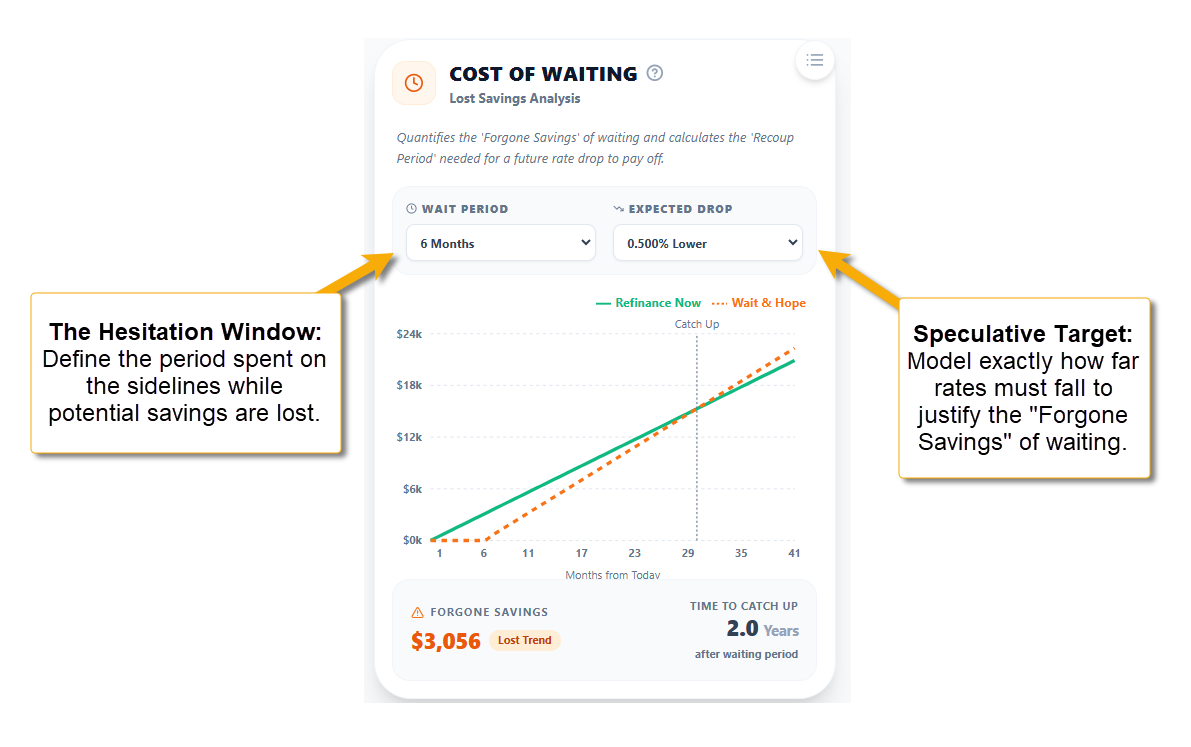
New Module: Refinance Cost of Waiting

The 'wait for a lower rate' conversation just got easier to win.

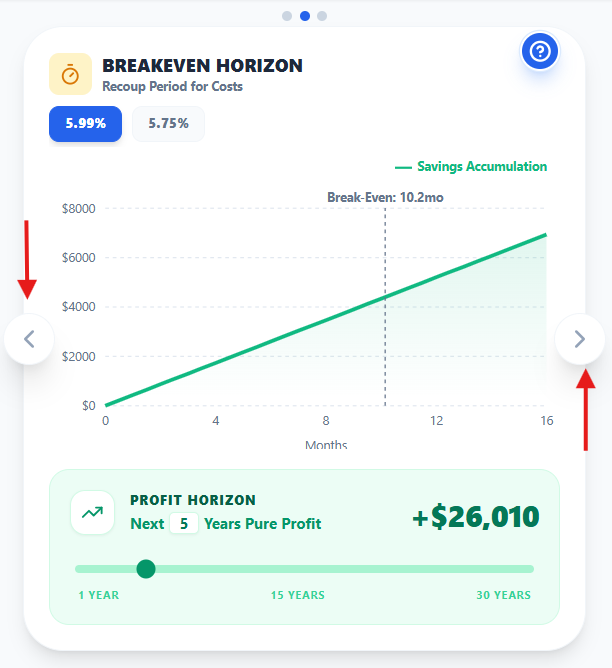
The Honest Math: This module calculates Forgone Savings (guaranteed money burned while waiting) against the Recoup Period of a future lower rate. Data-backed case for acting now.

The Bottom Line: Waiting six months for a 0.25% rate drop often costs more than the savings are worth. You can prove it on the spot.

New Module: Refinance Cost of Waiting
FEATURE

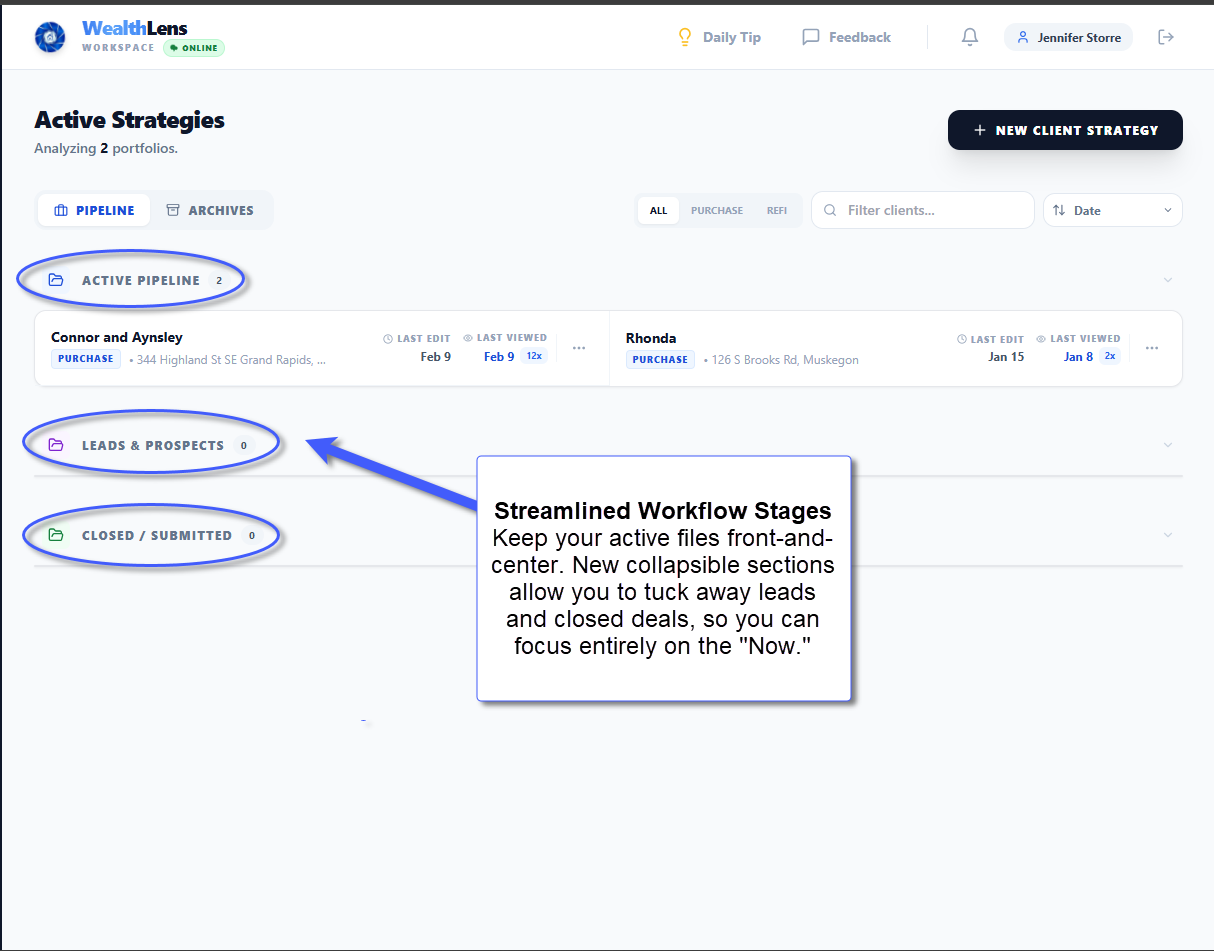
Redesigned Portfolio Dashboard

The old card grid did not scale. The new Portfolio Dashboard is built for advisors managing a real book of business.

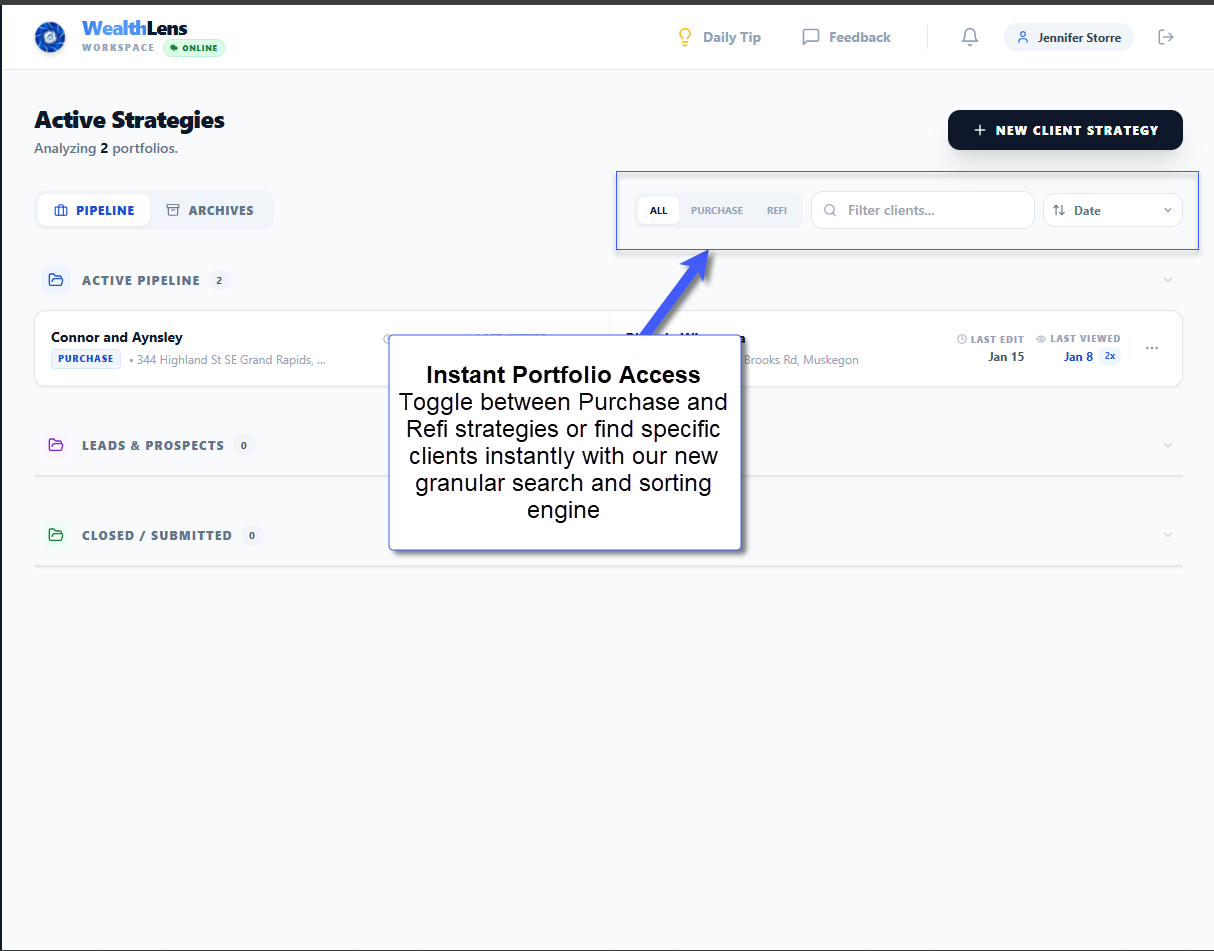
Pipeline at a Glance: Active Strategies (Purchase & Refinance) appear at the top. Rate Watchman retention files organized below. Managing 50+ clients is no longer a scrolling exercise.

Smart Sorting: Sort by Name, Date, or Rate Gap in one click. A Last Viewed timestamp on every file means you pick up exactly where you left off.

Redesigned Portfolio Dashboard - Image 1
Redesigned Portfolio Dashboard - Image 2
Redesigned Portfolio Dashboard - Image 3
FEATURE

Training Center & Guided Onboarding

Get up to speed in minutes, not days.

Video Tutorials: A dedicated Training Center with high-impact walkthroughs covering the most powerful features in WealthLens.

Guided Onboarding: New users receive a walkthrough at first login. Request tutorials on specific topics directly from inside the app. Onboarding a new team member or refreshing your own skills, everything is one click away.

FEATURE

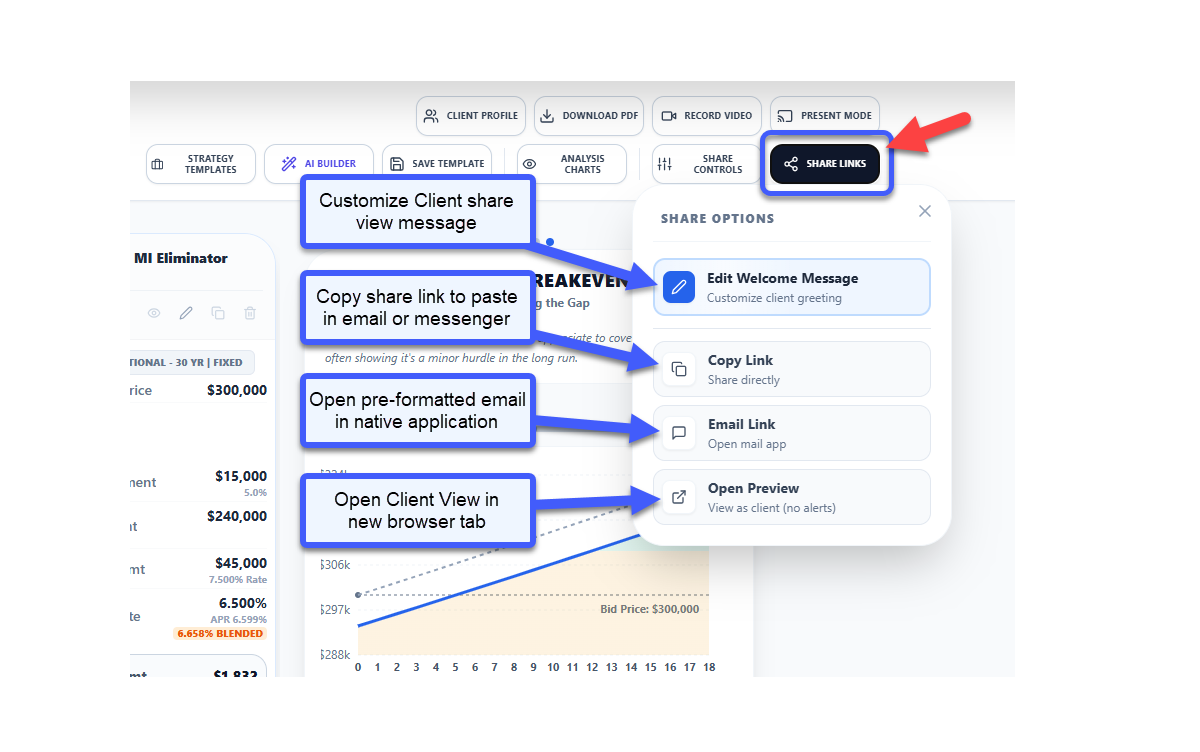
Share Menu & Maximum Payment Guardrail

Two upgrades to the Advisor toolbar that streamline workflow and protect clients from unrealistic expectations.

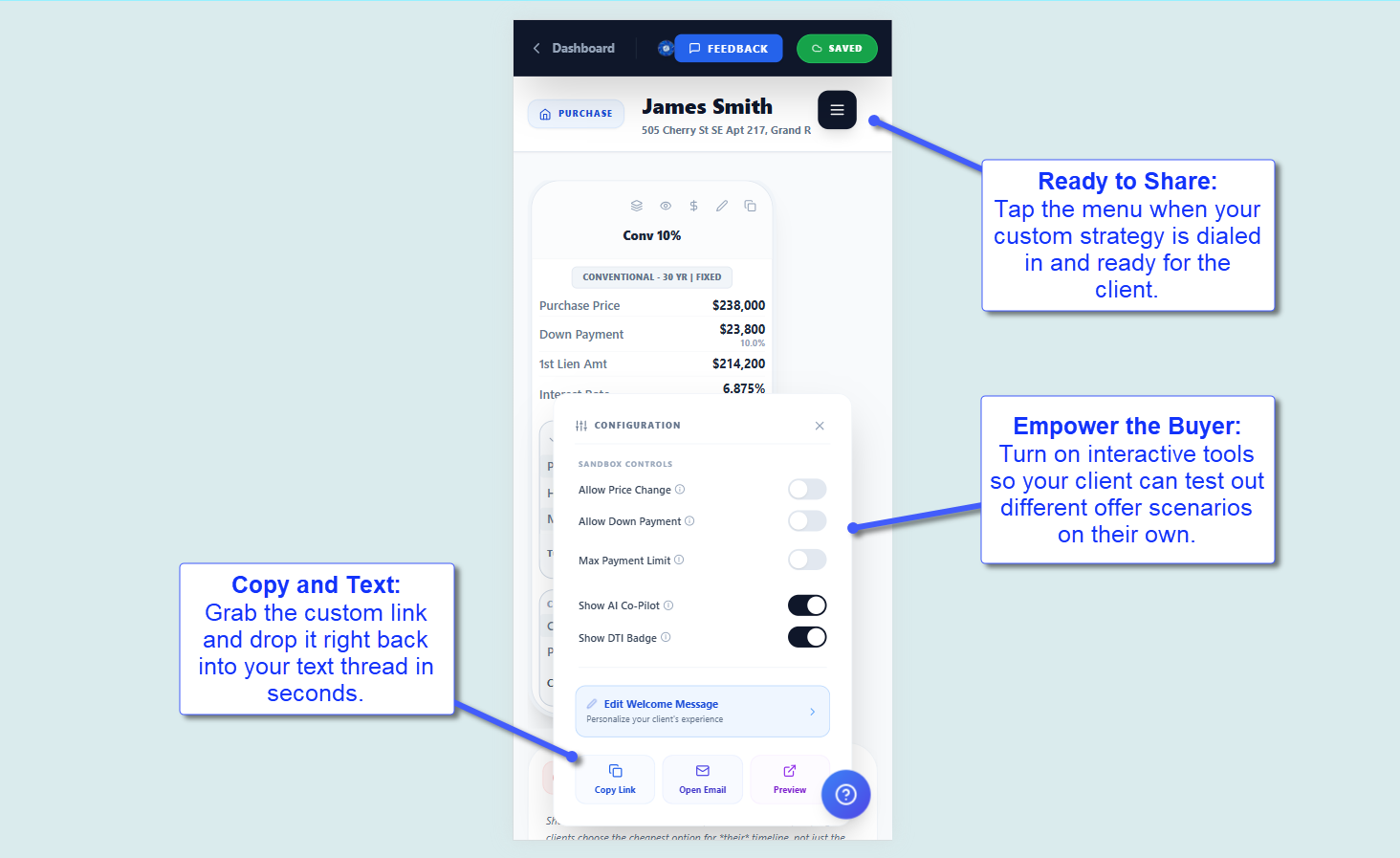
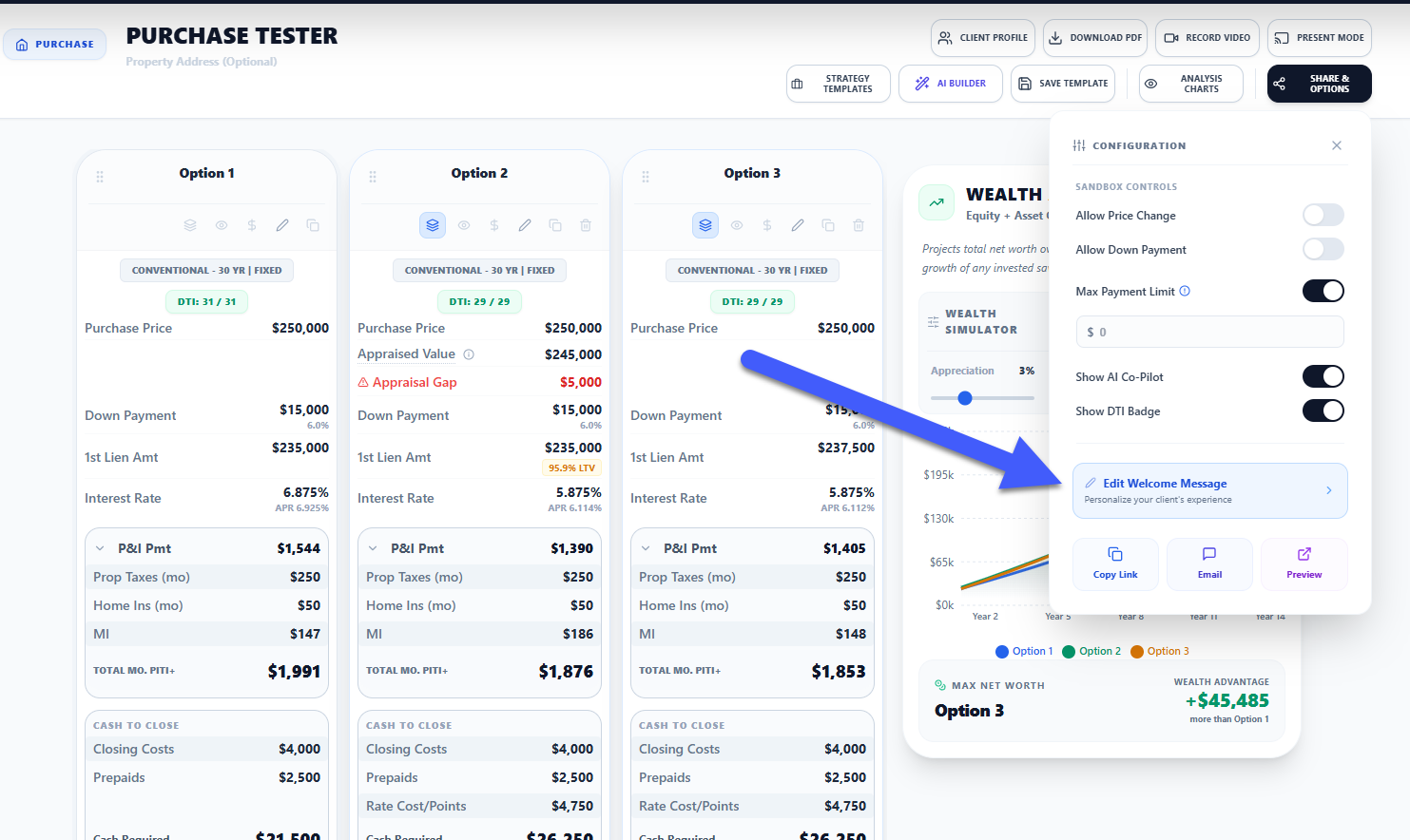
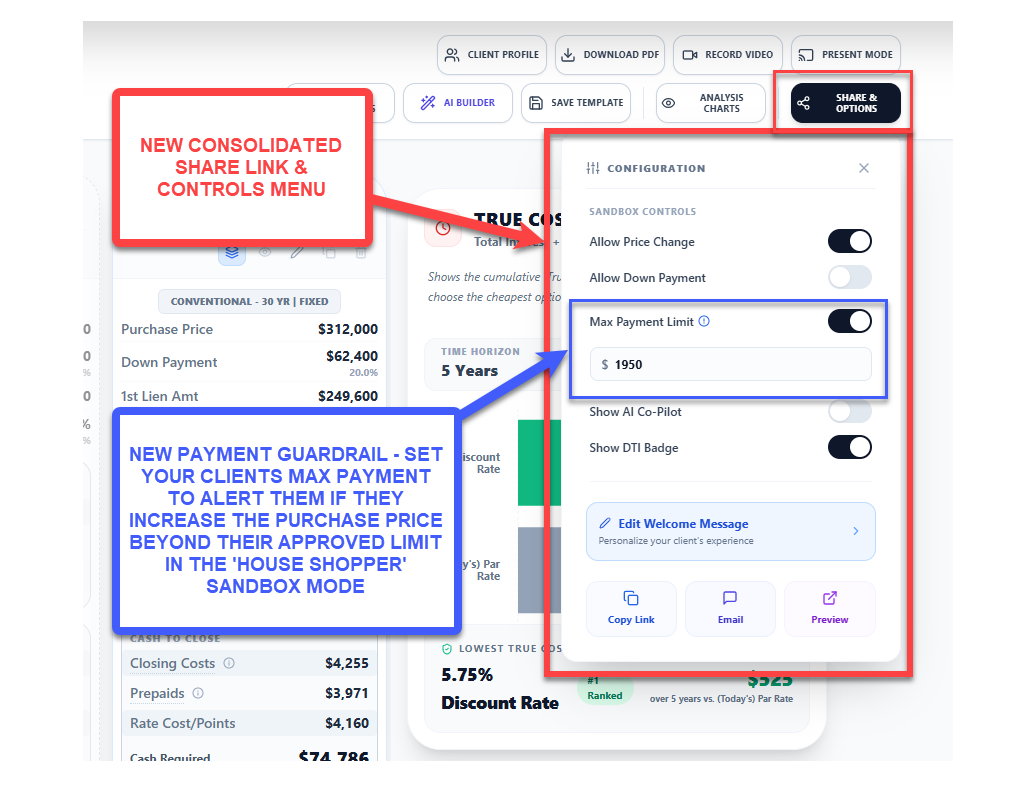
Unified Share Menu: Share, Download, and Configuration controls consolidated into one clean menu. All presentation settings accessible in one place, no visual glitches across devices.

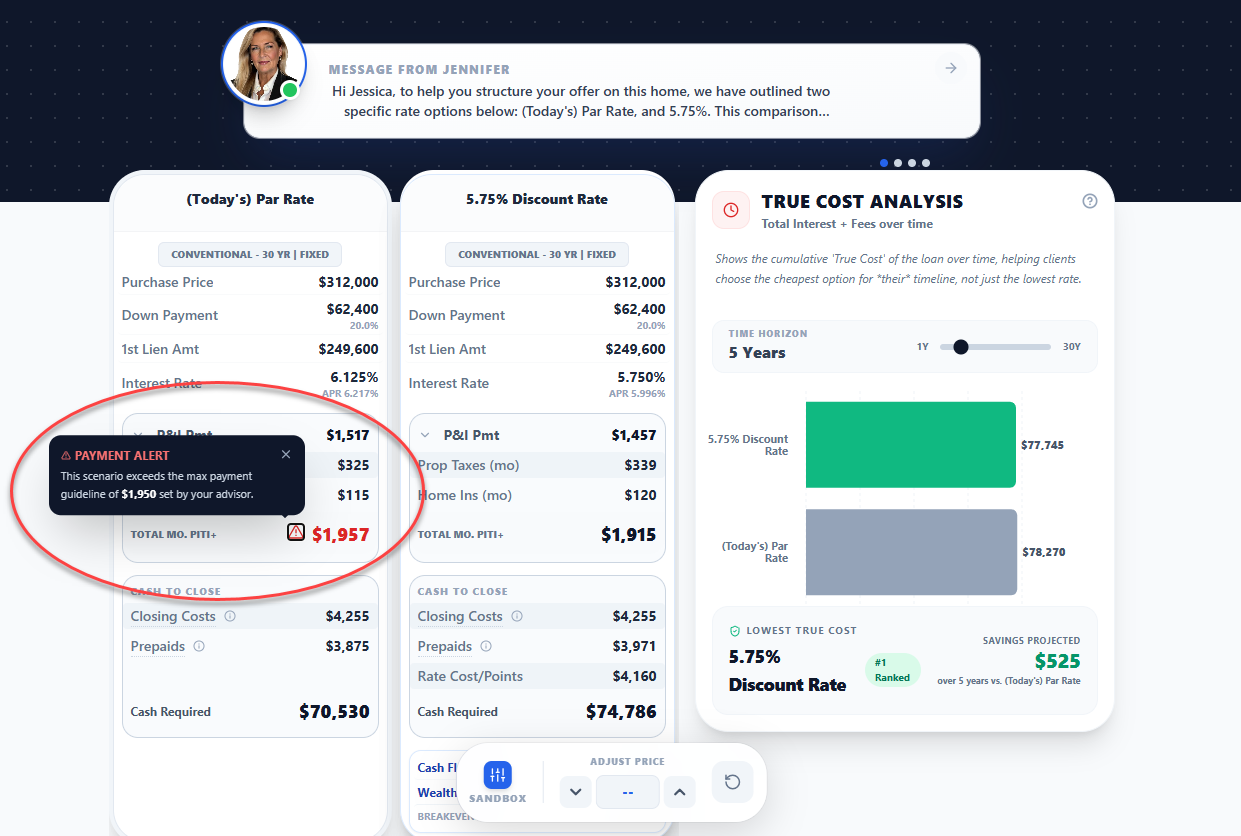
Maximum Payment Guardrail: Set a qualified payment ceiling for home shoppers. When clients use the Sandbox to explore higher prices or lower down payments, they see a bold red alert if they exceed their approved budget. No more awkward conversations at open houses.

Share Menu & Maximum Payment Guardrail - Image 1
Share Menu & Maximum Payment Guardrail - Image 2
FEATURE

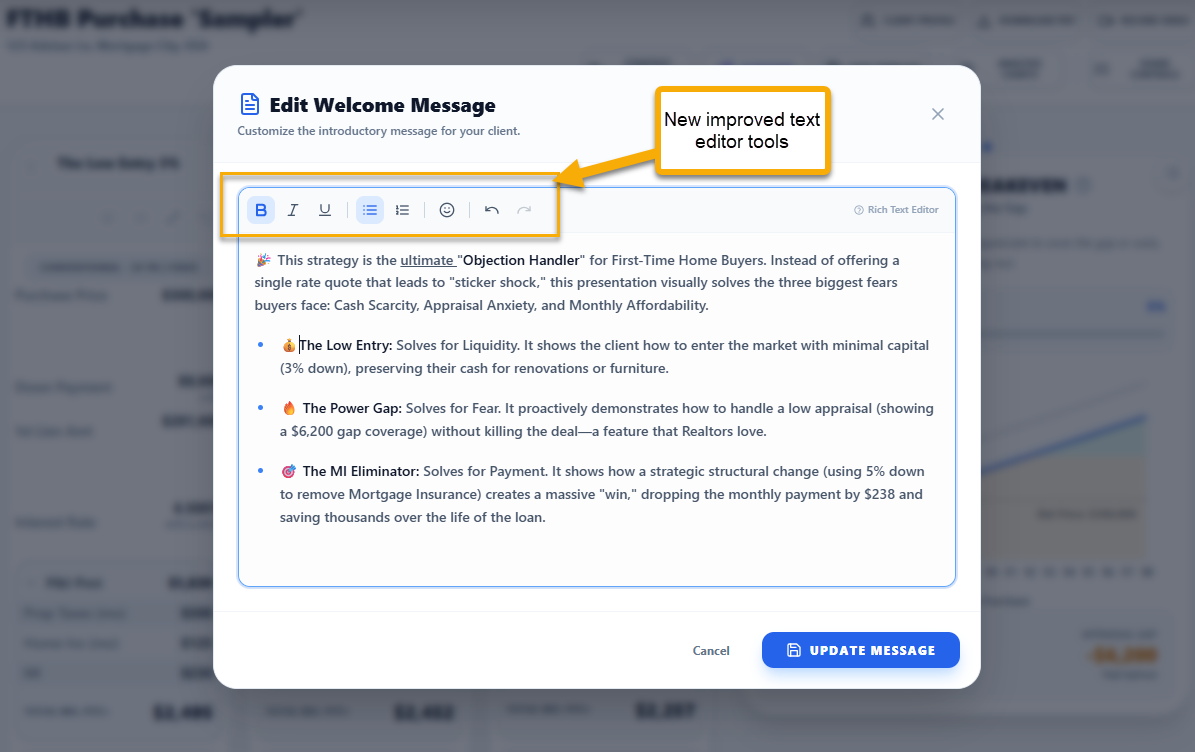
Rich Text Editor & Premium Sharing

Your strategy narratives deserve more than a plain text box.

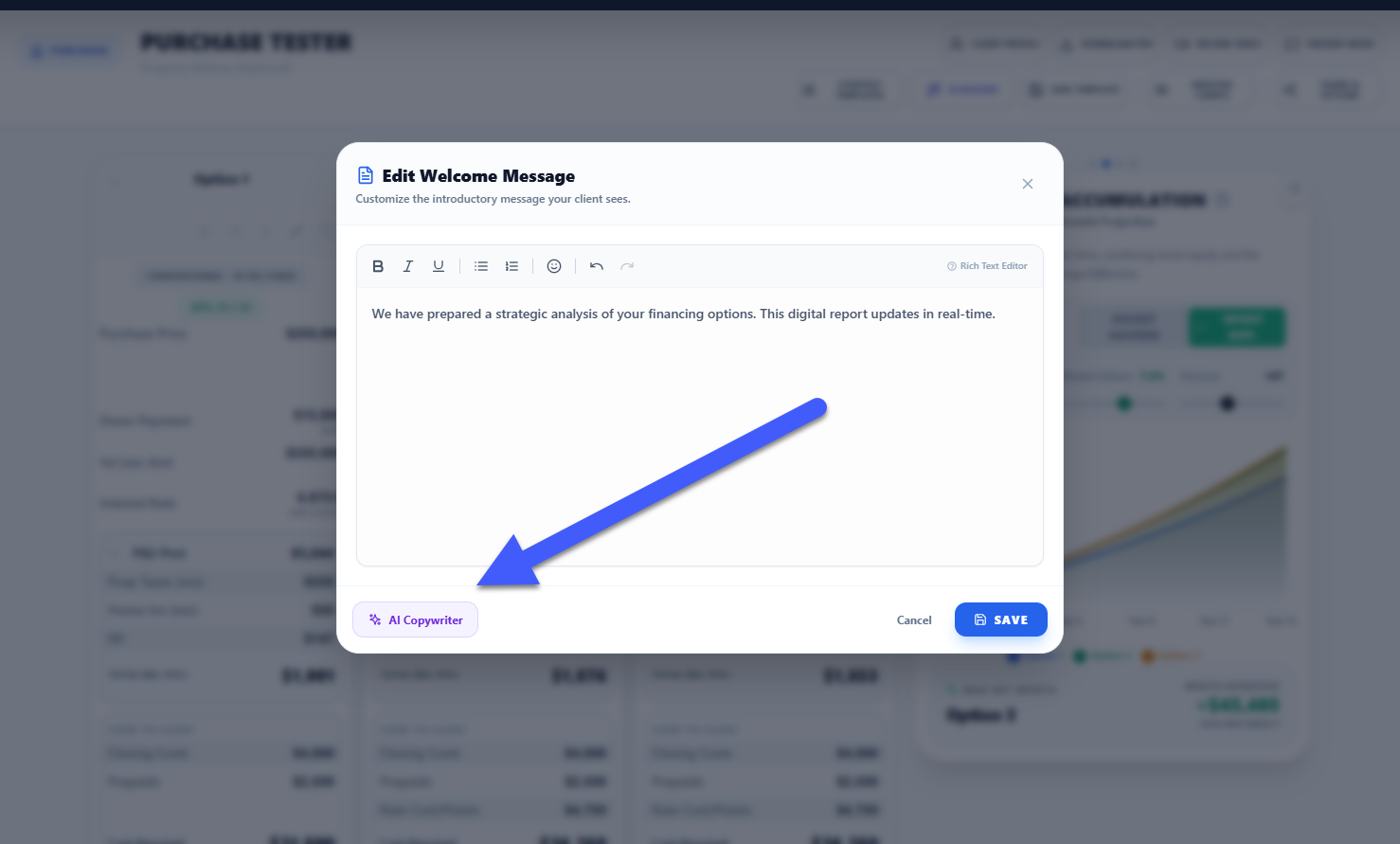
True Rich Text Editor: Bold, italic, bulleted lists, and emojis all supported. What you type is exactly what your client sees.

Live Smart Preview: The Share Menu shows exactly how your message will appear before sending. No guessing.

Elevated Client Experience: The Welcome Card and full-screen Message Modal render your narrative with beautiful typography on any device: phone, tablet, or desktop.

Rich Text Editor & Premium Sharing - Image 1
Rich Text Editor & Premium Sharing - Image 2
Rich Text Editor & Premium Sharing - Image 3
FEATURE

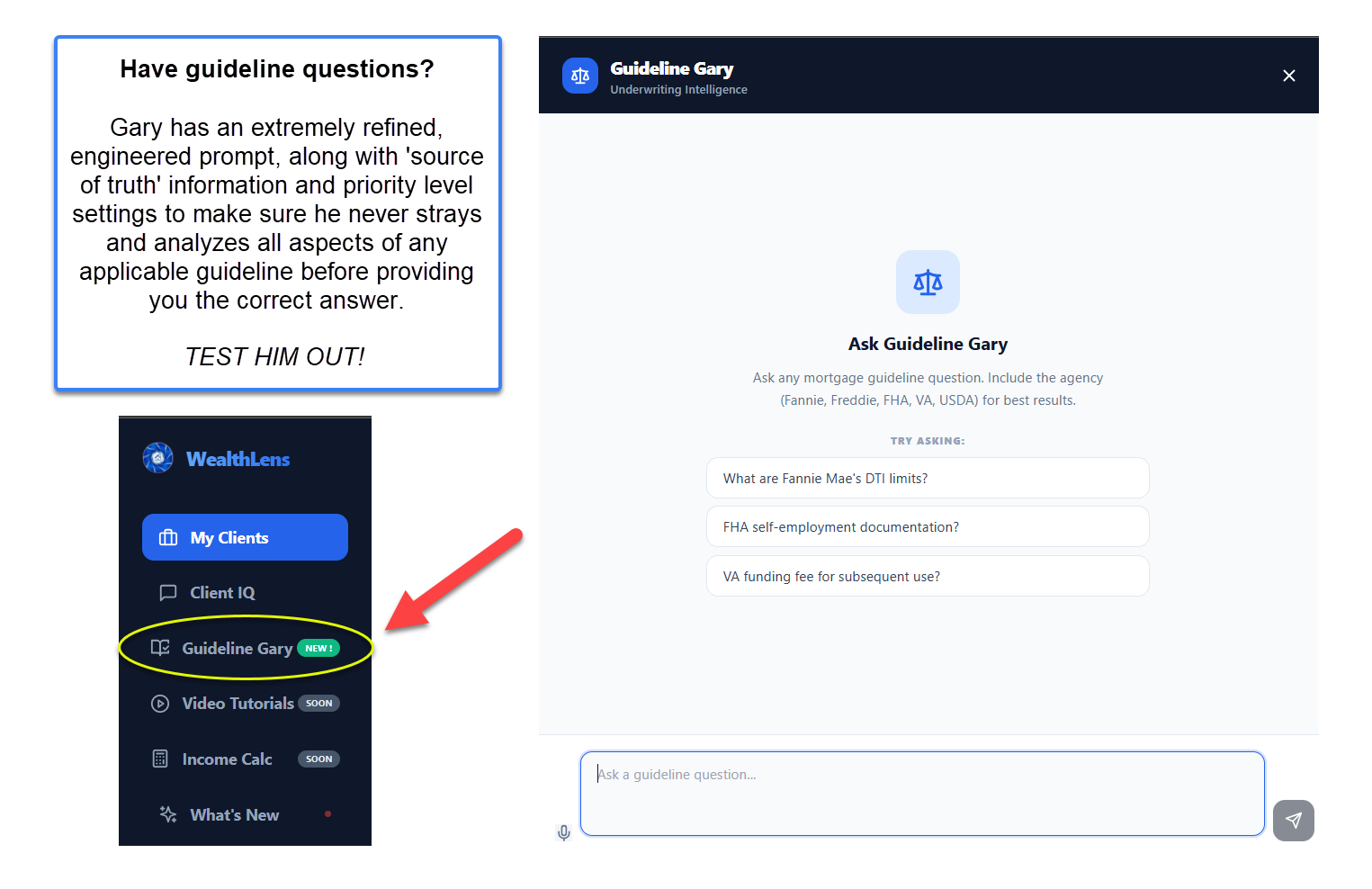
Meet Guideline Gary

A dedicated AI agent on the Advisor Dashboard, engineered as a precise guideline reference tool connected to FHA, VA, USDA, Fannie Mae, and Freddie Mac official sources.

Anti-Hallucination Protocol: If your question is ambiguous ('Can my client use gift funds?'), Gary asks you to specify the loan type before answering. FHA rules don't apply to Conventional loans, and Gary knows the difference.

Citation-Backed Answers: Get sourced answers in seconds. No more searching agency websites mid-call.

Meet Guideline Gary
IMPROVEMENT

Architect: Live Property Intelligence

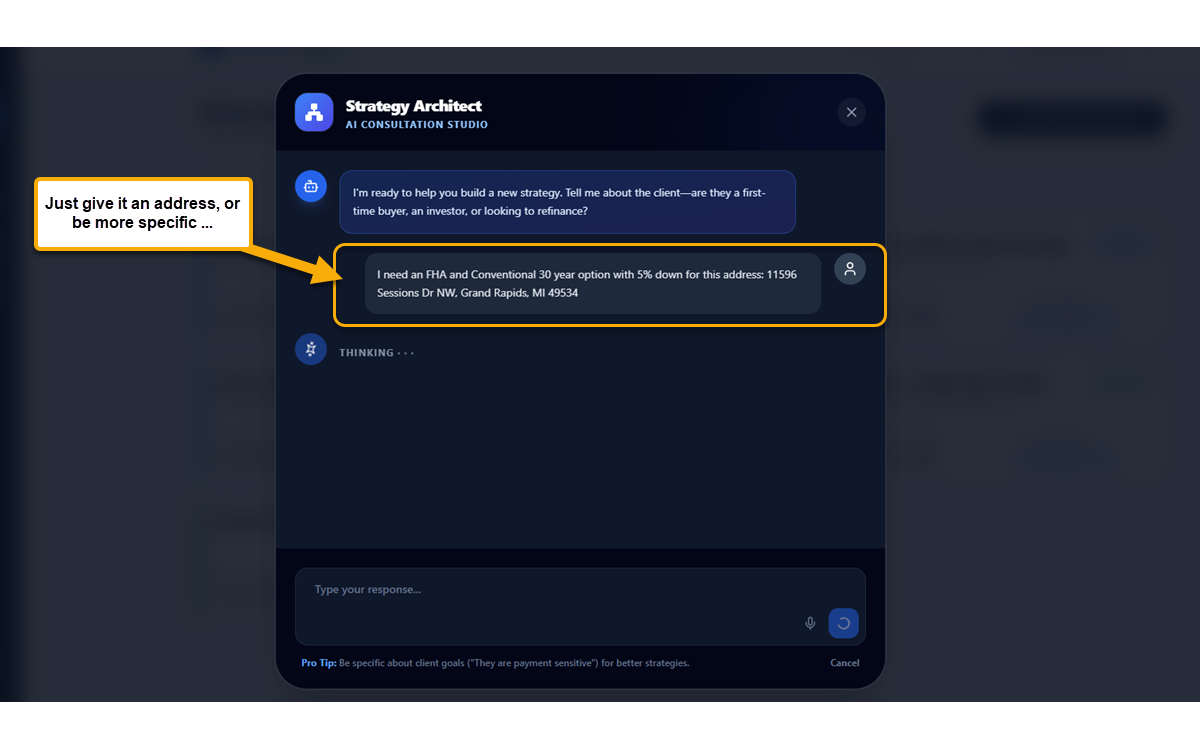
The AI Architect can now look up real properties in conversation.

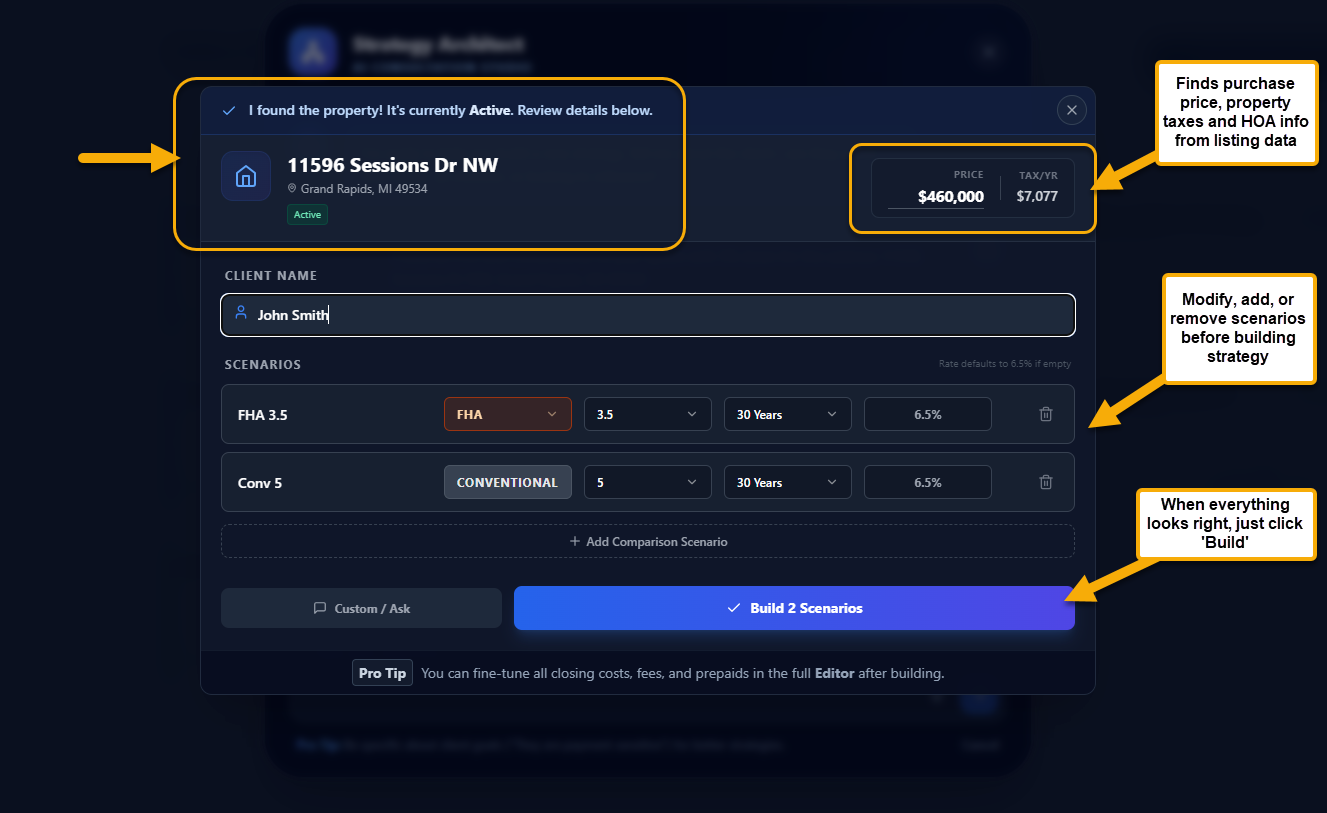
Say the Address, Get the Data: Tell the Architect 'Analyze 123 Main St.' It searches live listing data for price, property type, HOA fees, estimated taxes, and active listing status.

Fewer Tabs, Faster Strategies: Property data aggregated from public listing sources as a fast starting point. Always confirm tax figures with the local county assessor for precision.

Architect: Live Property Intelligence - Image 1
Architect: Live Property Intelligence - Image 2
Architect: Live Property Intelligence - Image 3
Architect: Live Property Intelligence - Image 4
FEATURE

Strategy Templates & Client File Cloning

Stop rebuilding strategies from scratch.

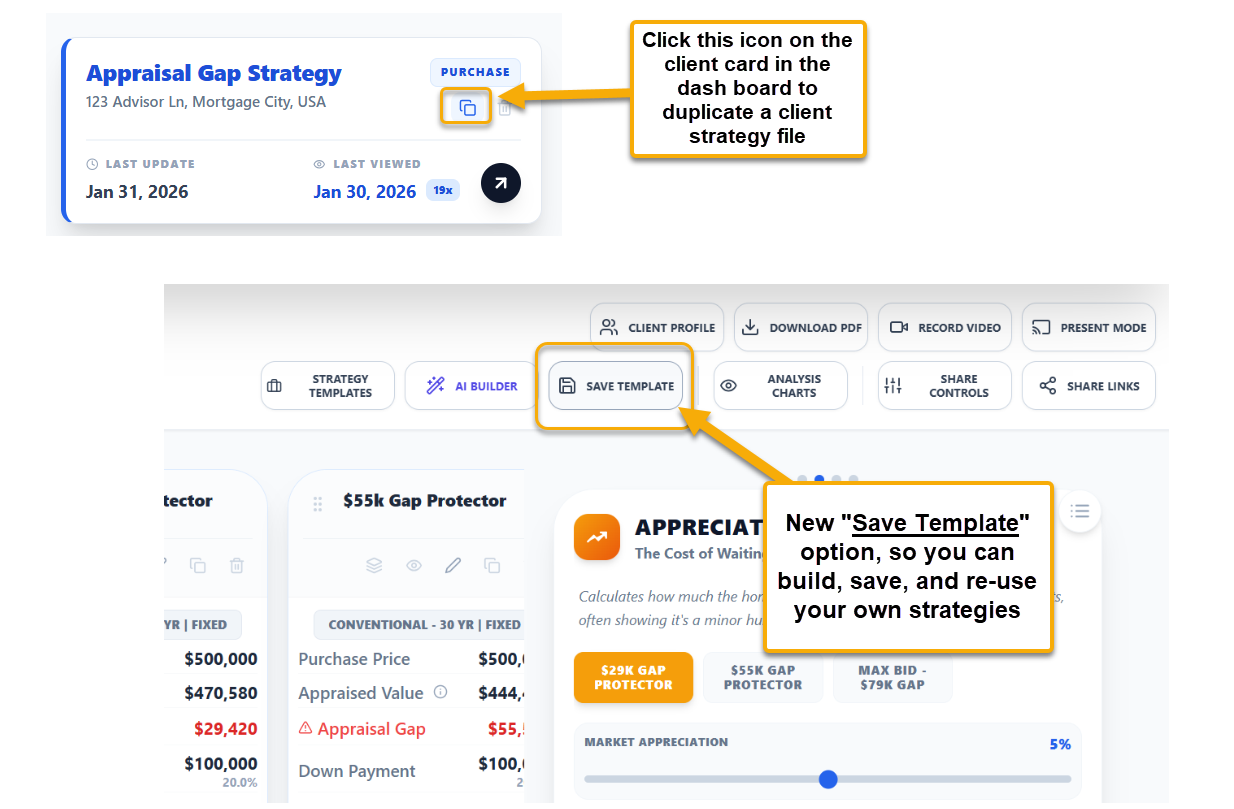
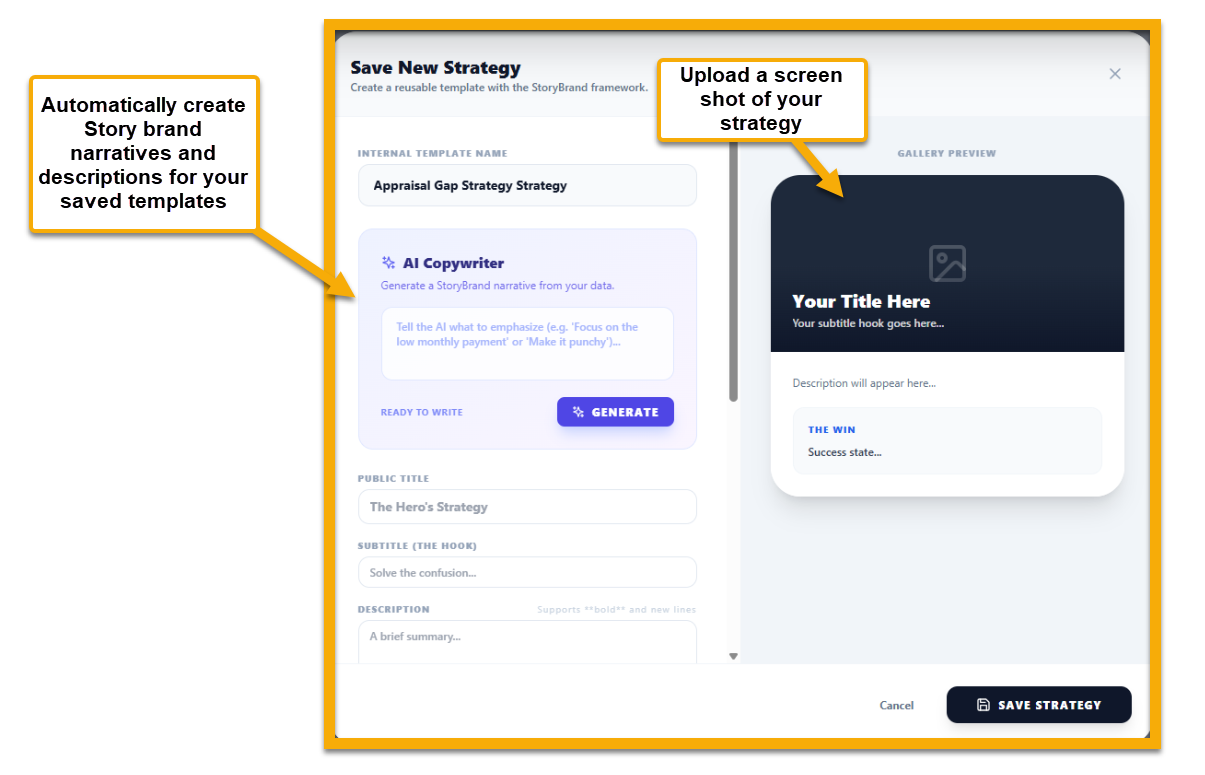
Build Once, Use Forever: Save any scenario configuration as a custom Strategy Template: your ideal House Hacking setup, Debt Consolidation structure, or any approach you have perfected. Apply it to any new client in seconds.

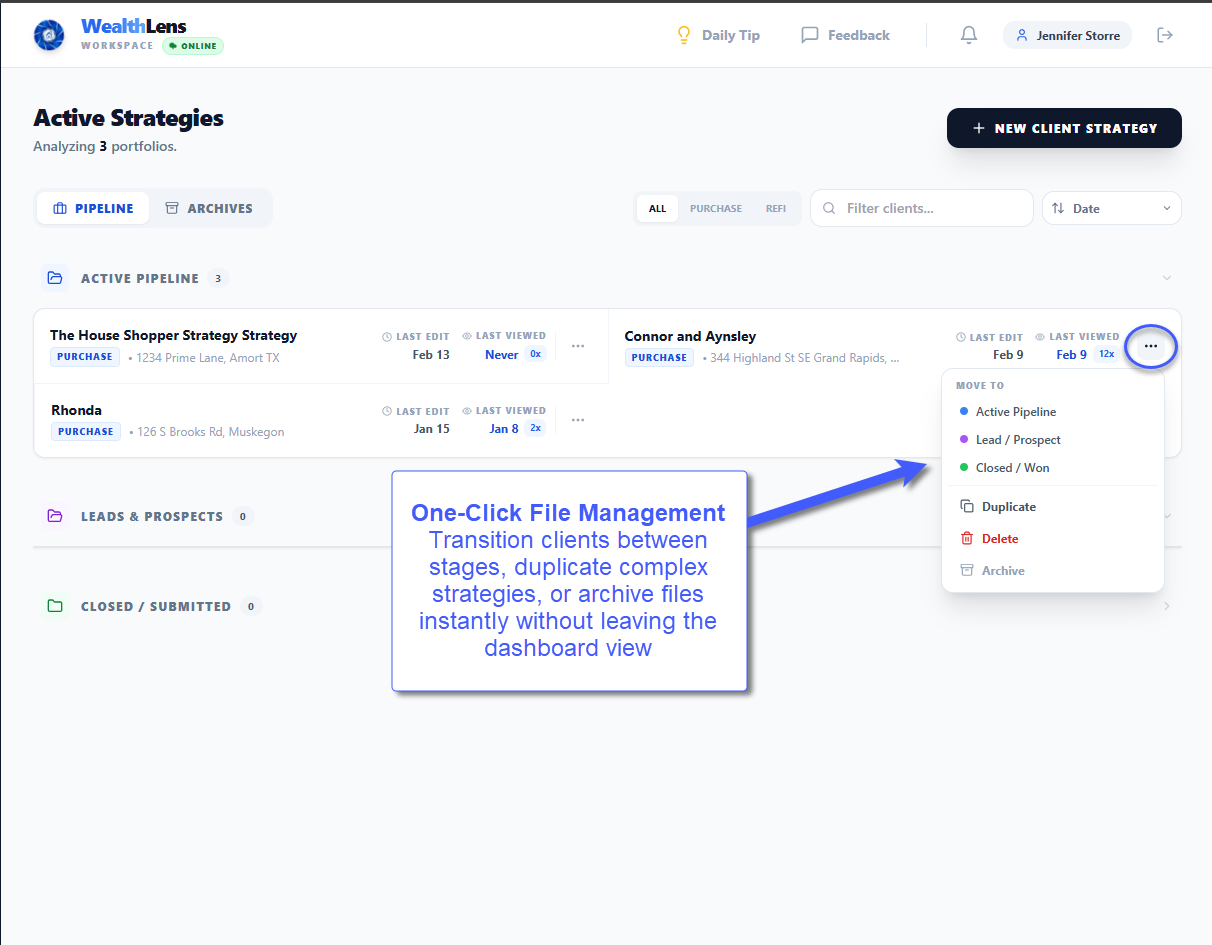
Client File Cloning: Need to test a completely different loan structure without losing your original work? Duplicate any client file instantly. Perfect for A/B testing rate options or presenting multiple paths side by side.

Strategy Templates & Client File Cloning - Image 1
Strategy Templates & Client File Cloning - Image 2
FEATURE

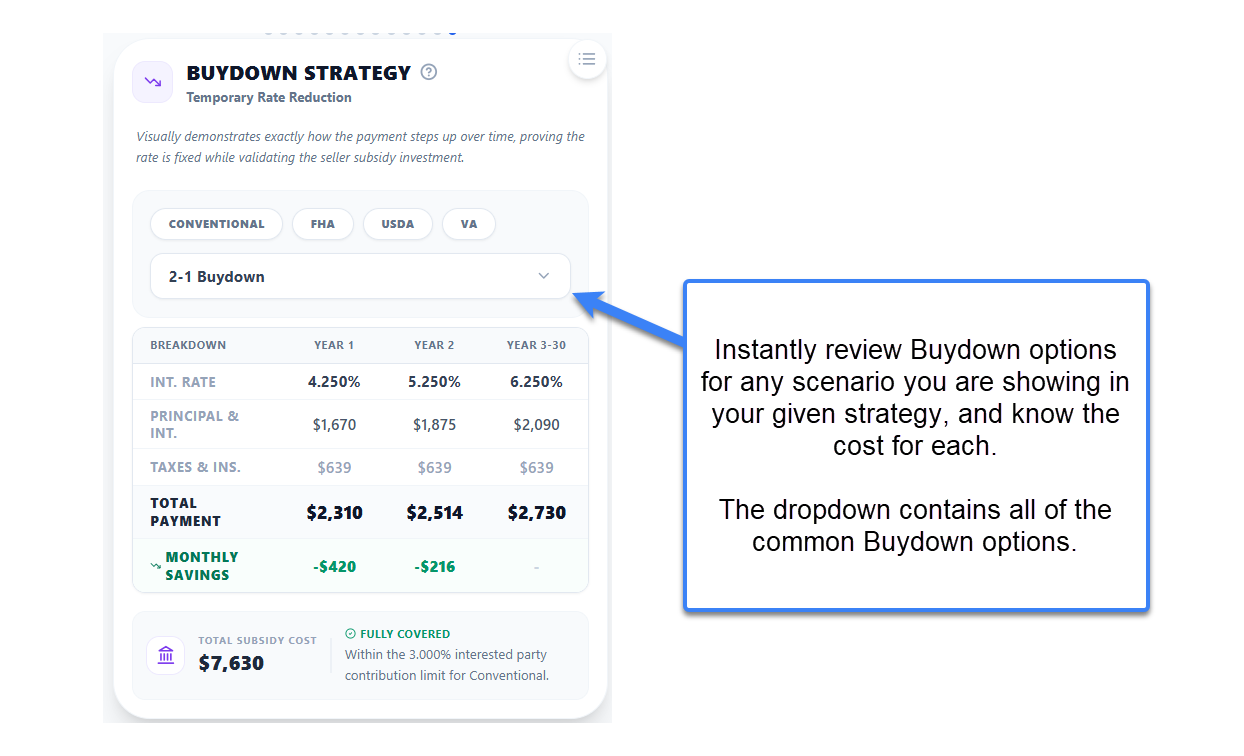
New Module: Buydown Strategy Visualizer

The antidote to rate anxiety in high-rate environments. This module reframes the buydown as what it is: a Seller-Subsidized Payment Plan.

Payment Staircase: A year-by-year table shows exactly how monthly payments change at each step. The permanent note rate stays front and center. No confusion, no fine print.

Built-In Compliance Engine: An automatic check flags in real time if the seller concession exceeds Fannie Mae or FHA allowable limits. Perfect for new construction deals and competitive markets.

New Module: Buydown Strategy Visualizer
FEATURE

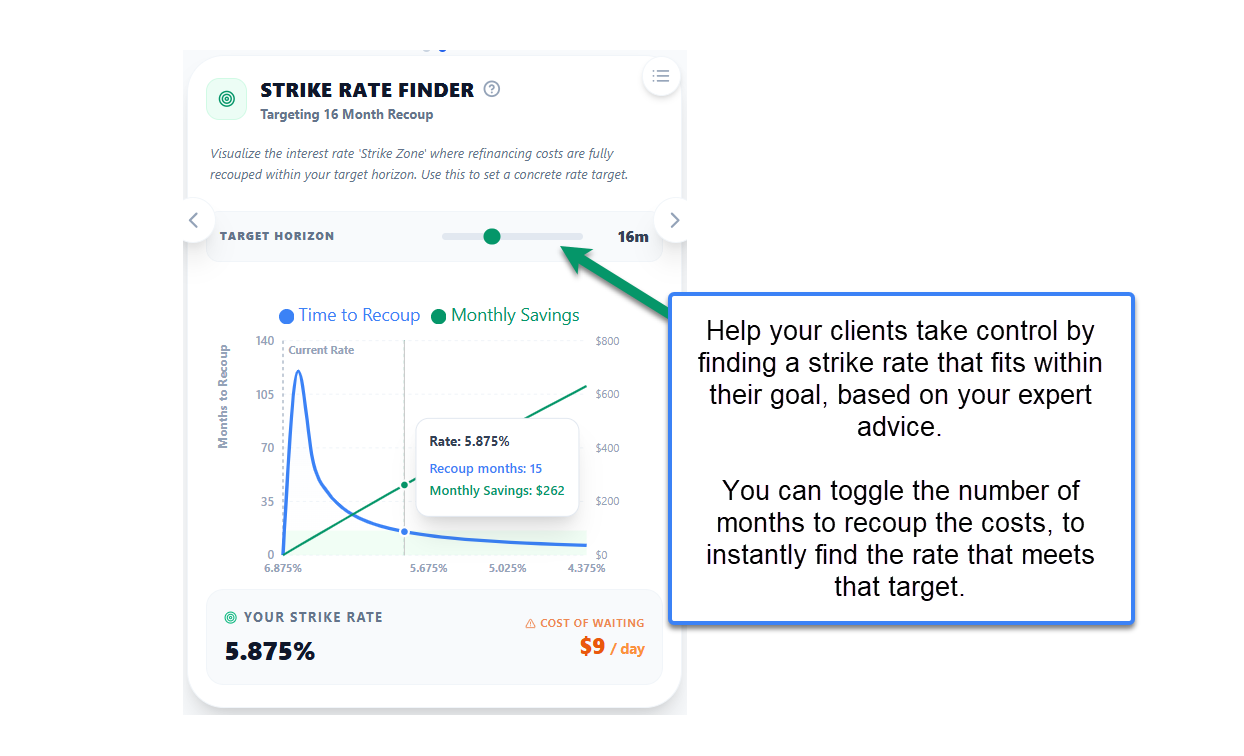
New Module: Strike Rate Finder

The most common client question is 'What rate should I wait for?' Now you answer it with math, not intuition.

The Strike Zone: The Strike Rate Finder defines the exact interest rate where refinancing makes financial sense based on your client's specific loan, closing costs, and planned occupancy timeline. Stop guessing. Show them the number.

New Module: Strike Rate Finder
FEATURE

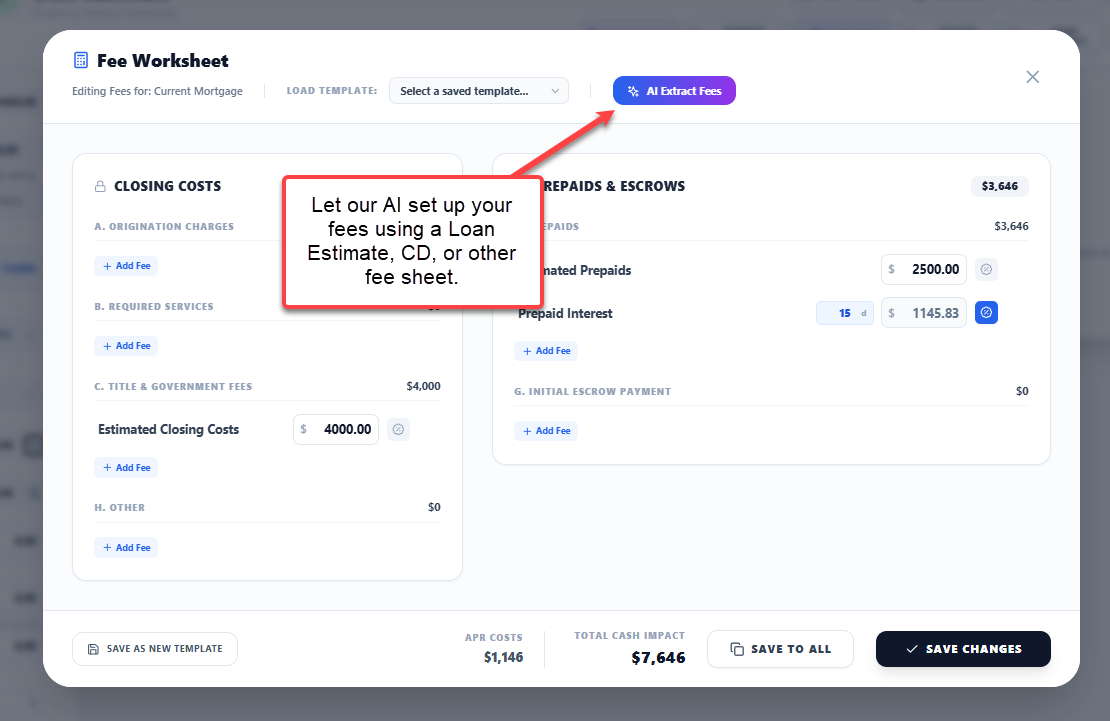
Smart Fee Importer & CD Upload

Uploading fee sheets just got dramatically faster.

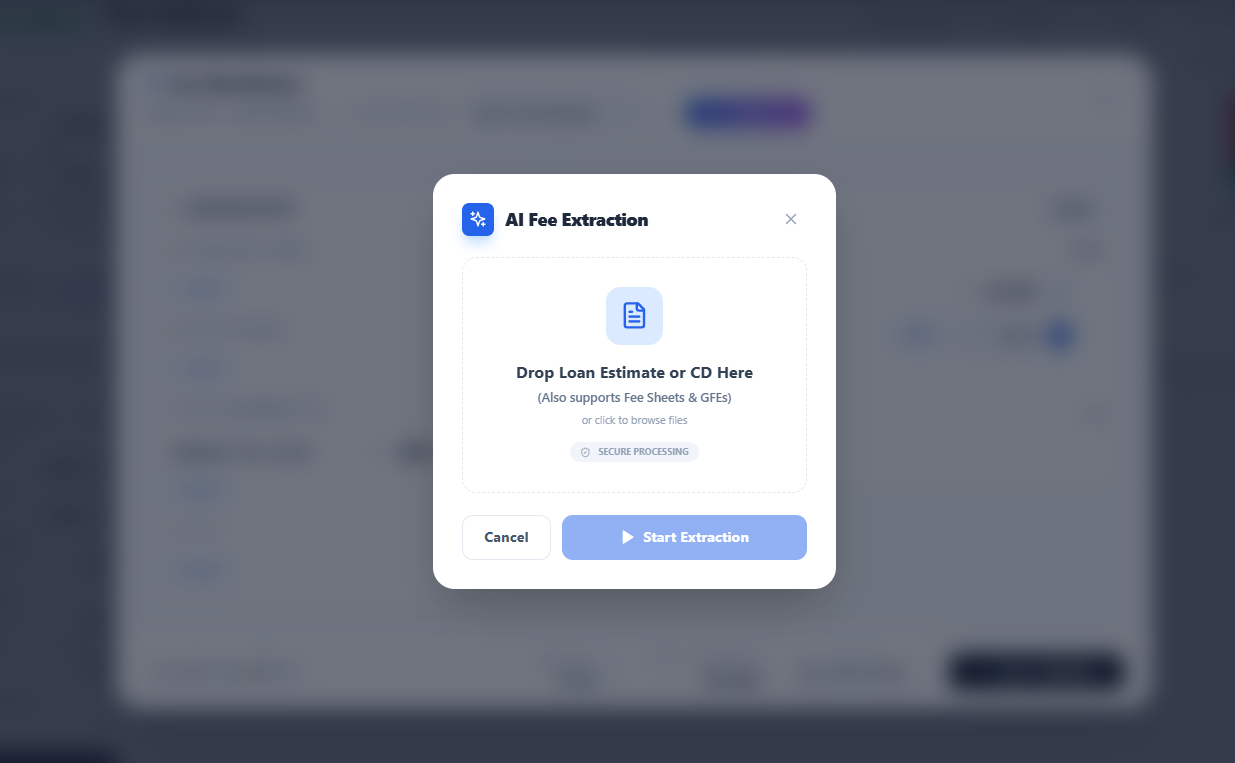
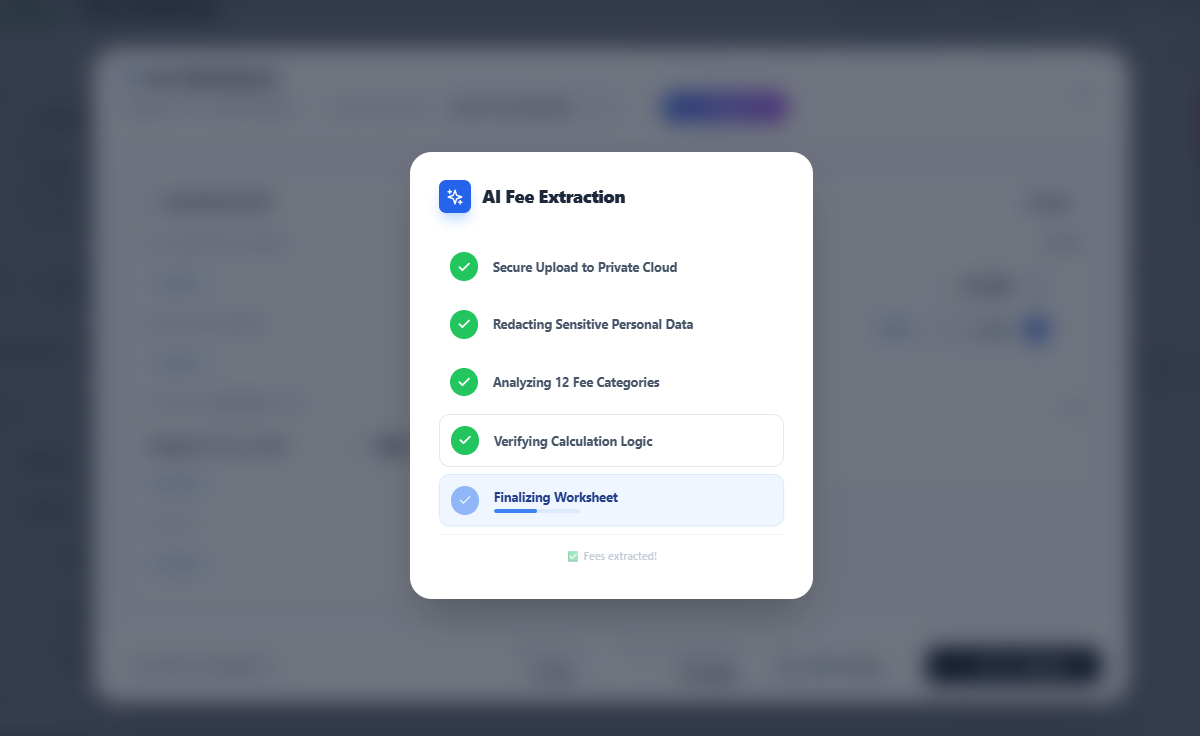
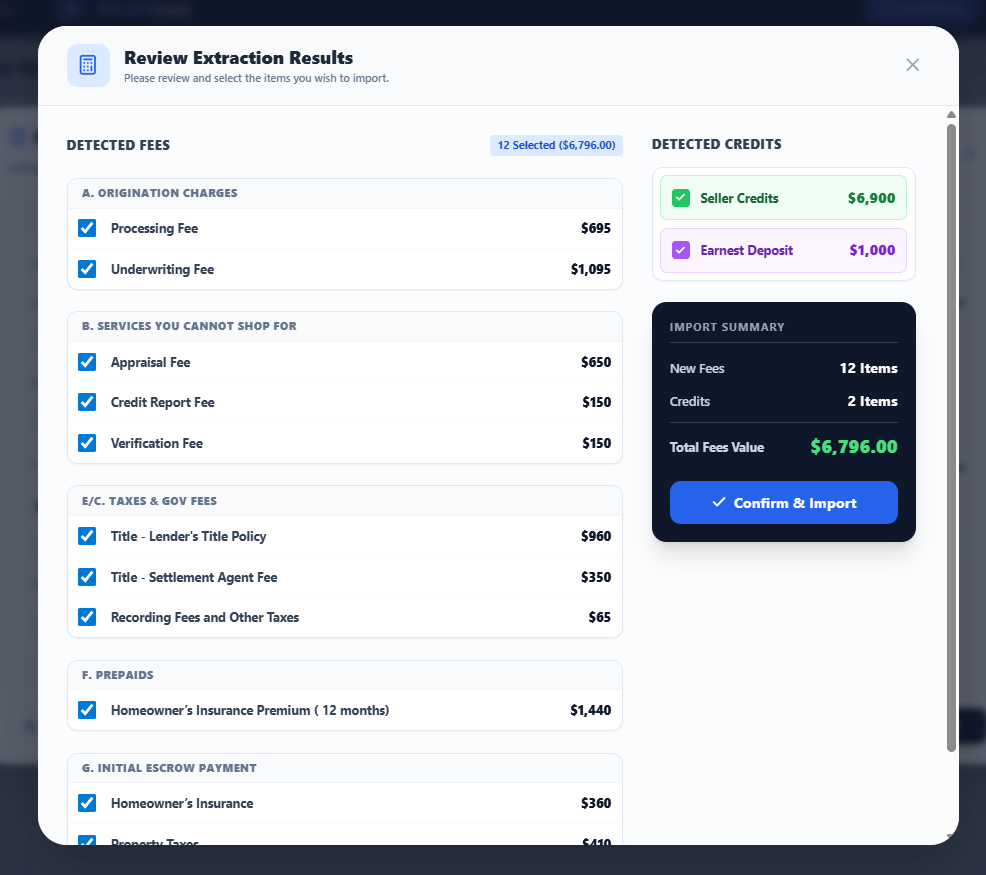
Drag, Drop, Done: Drop any Loan Estimate or Closing Disclosure directly into WealthLens. The AI extraction engine reads the document, identifies every fee and credit, and presents them in a Unified Review Modal where you toggle individual line items before importing.

Full Transparency: A progress checklist walks you through every step from secure upload to automatic PII redaction. You always know exactly what is happening.

Smart Fee Importer & CD Upload - Image 1
Smart Fee Importer & CD Upload - Image 2
Smart Fee Importer & CD Upload - Image 3
Smart Fee Importer & CD Upload - Image 4
IMPROVEMENT

Analysis Charts: Sort by Story

Your presentation has a narrative arc. Now your charts match it.

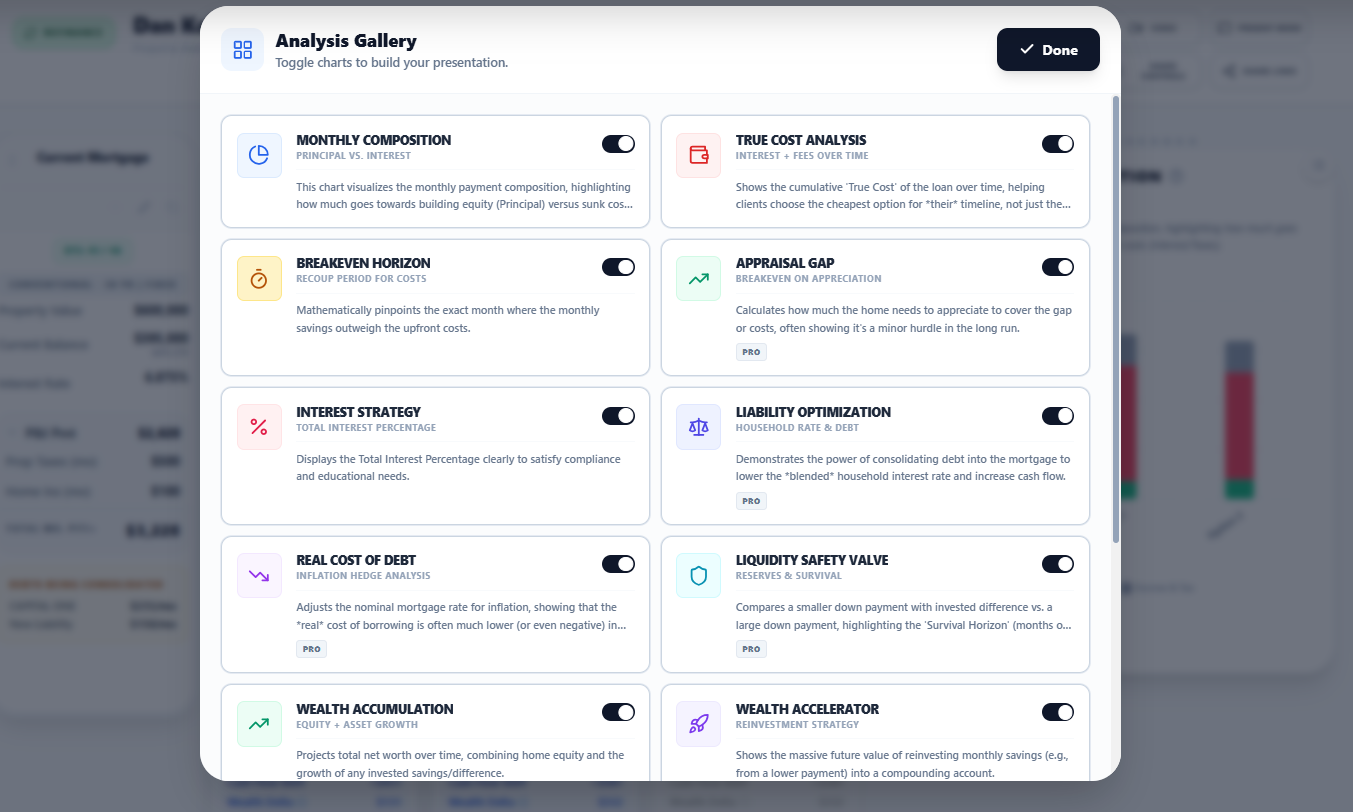
Unified Design: Full Analysis Charts suite standardized with consistent padding, typography, and aligned headers across every module.

Sort by Story: A toggle lets you reorder charts to guide your client through the analysis exactly the way you would tell it, from the big picture down to the details.

Analysis Charts: Sort by Story - Image 1
Analysis Charts: Sort by Story - Image 2
FEATURE

Refinance & Debt Consolidation, Power-Up

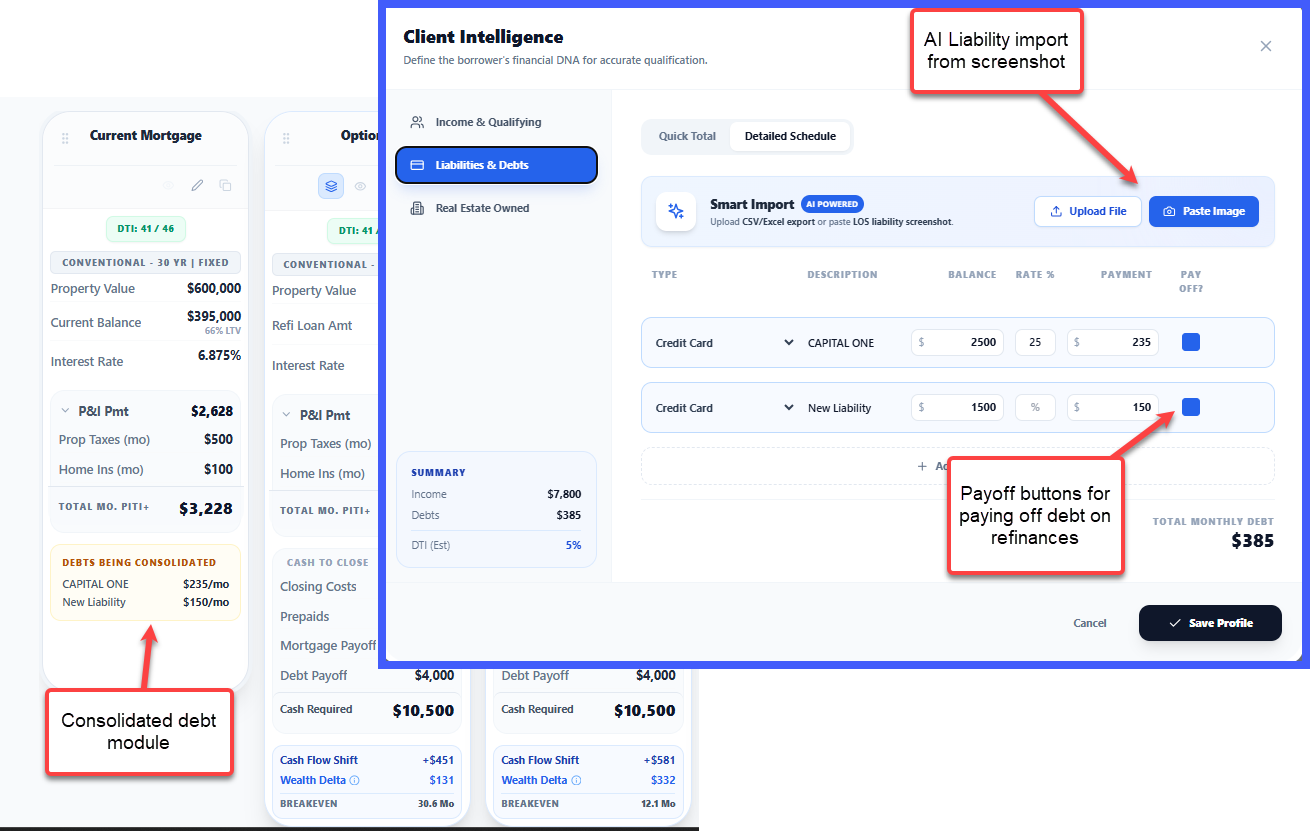
Refinance scenarios now include a dedicated Debt Consolidation view showing how much monthly cash flow is freed when high-interest debts roll into the new mortgage.

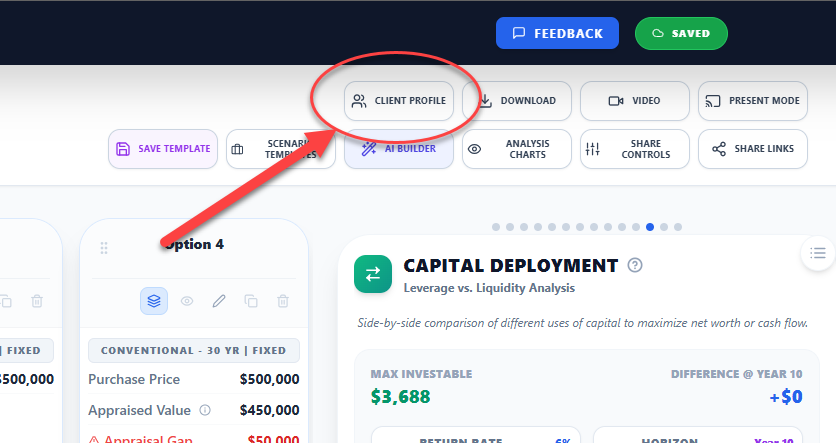
Pay Off Toggle: A toggle directly in the Client Profile liabilities list lets you select which debts to consolidate. Impact updates in real time.

Refinance & Debt Consolidation, Power-Up
FEATURE

Smart Liability Screenshot Scanner

Manual data entry for liabilities is a thing of the past.

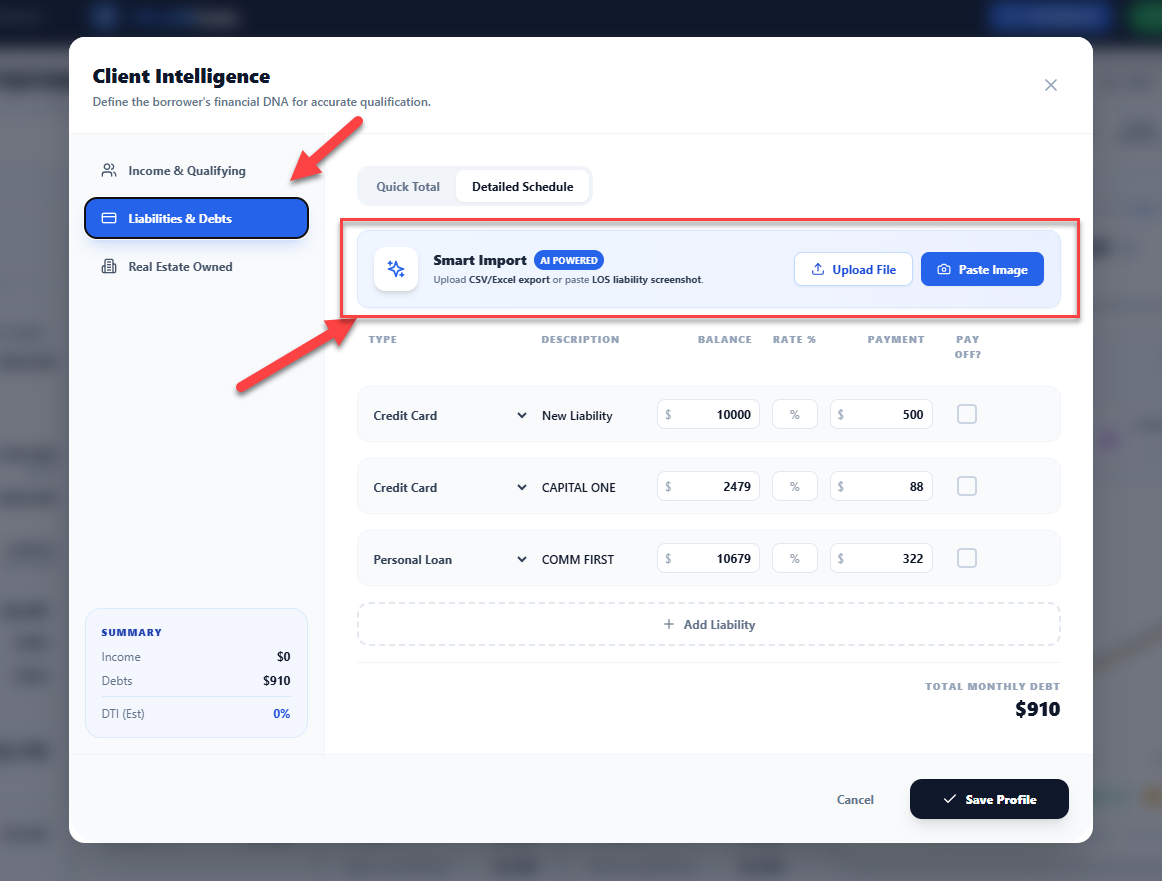
Screenshot to Data: Paste a screenshot of any credit report or debt summary into the Client Profile. Computer vision extracts creditor names, balances, and monthly payment amounts automatically.

Seconds, Not Minutes: Review, confirm, and import. Advisors who use it do not go back to manual entry.

Smart Liability Screenshot Scanner - Image 1
Smart Liability Screenshot Scanner - Image 2
FEATURE

Client Intelligence Platform

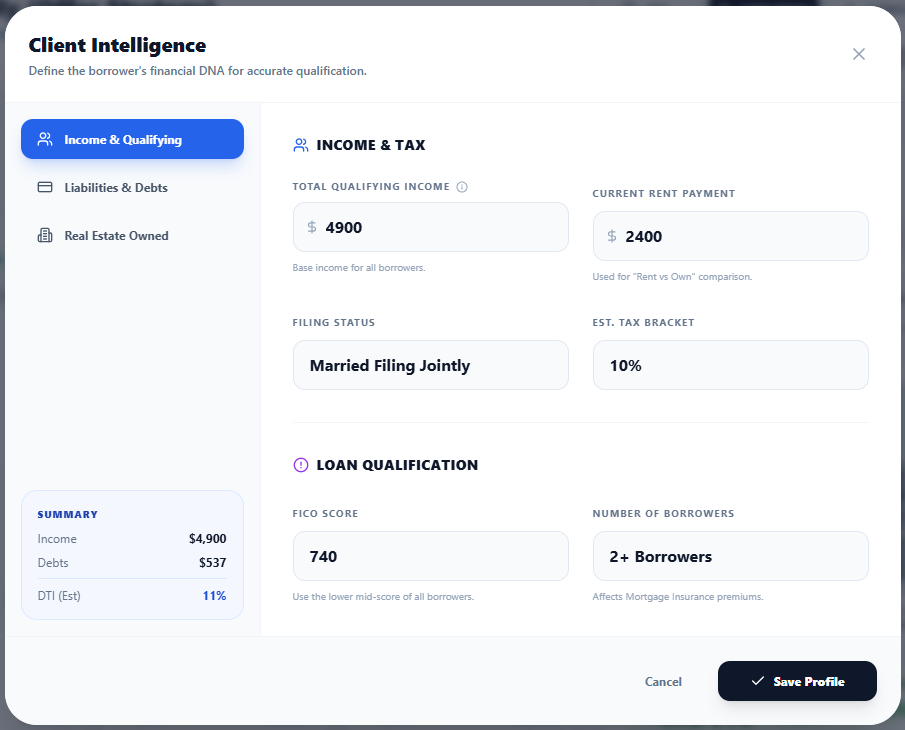
The borrower qualification experience, completely redesigned. Not a data entry form. Instant underwriting.

Smart PMI Engine: Estimates PMI rates dynamically based on FICO score and loan-to-value ratio.

Live DTI Calculator: Calculates Debt-to-Income in real time with visual Pass/Fail badges. You always know where your client stands.

REO Manager: A dedicated Real Estate Owned section automatically nets rental income against existing mortgage payments, a calculation that trips up most other tools.

Client Intelligence Platform
FEATURE

Global Strategy Library

Your best advice should be repeatable.

Full Dashboard Templates: Save an entire configuration: charts, scenarios, and settings as a reusable template.

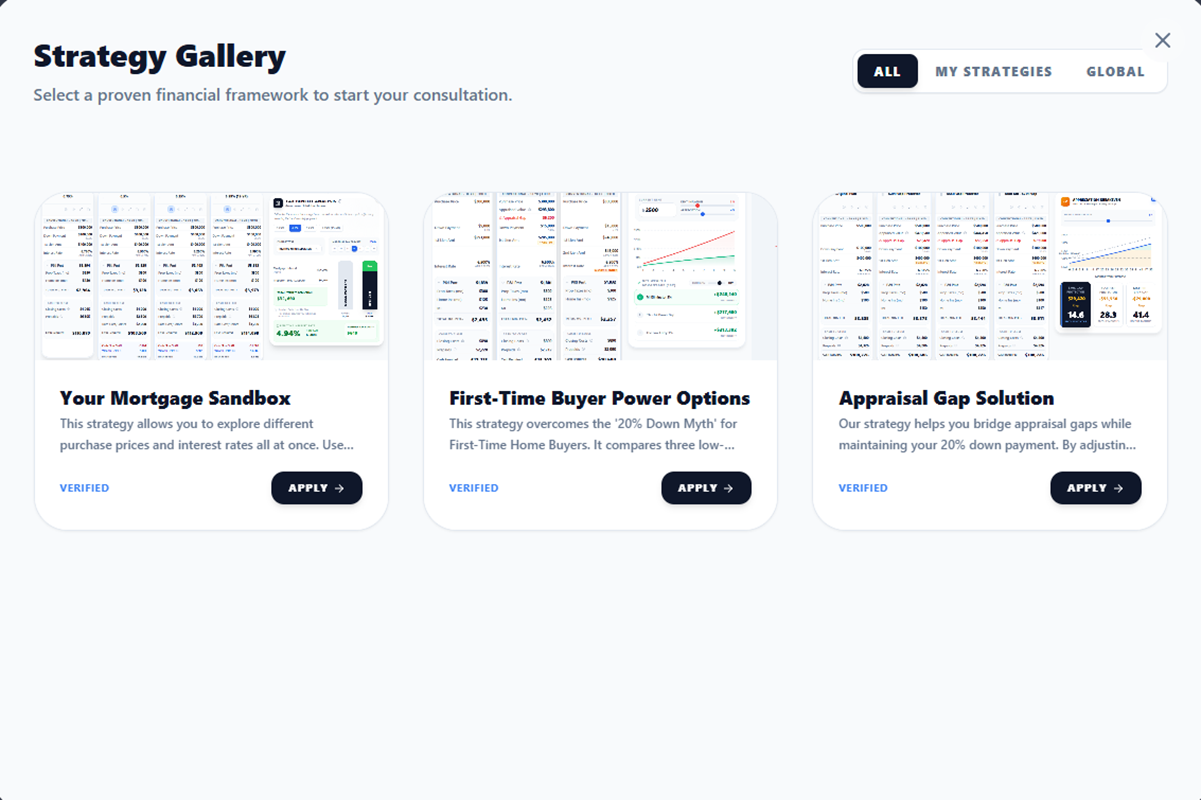
Curated Masters: Start with pre-built strategies like Rent vs. Own, Debt Consolidation, or First-Time Buyer Starter. Or build your own firm-wide library so every advisor starts from the same high standard.

Global Strategy Library
FEATURE

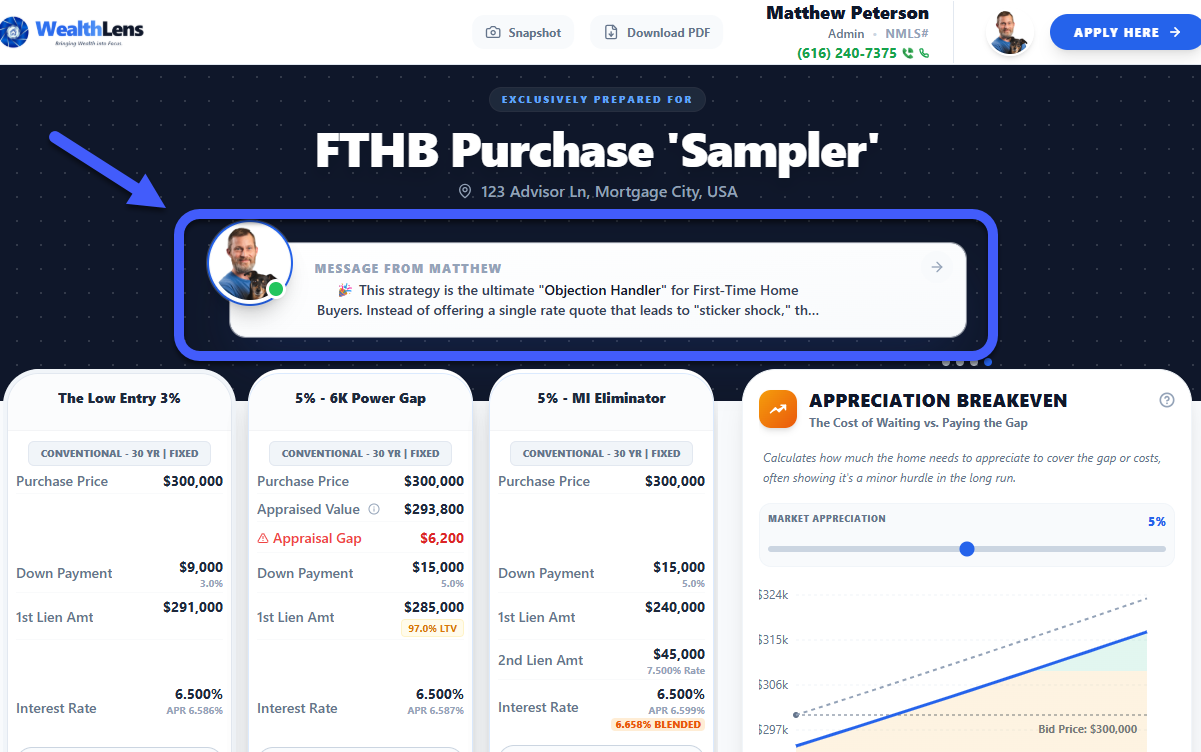
New Module: Appreciation Breakeven

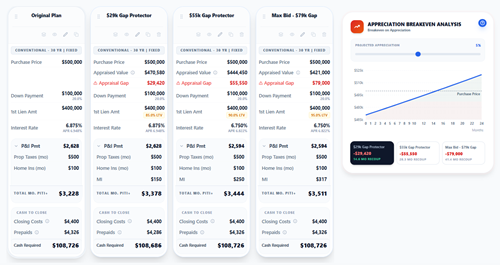
Winning a bidding war often means paying above appraised value. That conversation is uncomfortable without data.

Time-Based Investment Math: Conservative appreciation projections show clients exactly how many months it takes for home value to catch up to what they bid.

Best Used For: Bidding war scenarios, low appraisal situations, and high-appreciation markets where aggressive offers are the norm.

New Module: Appreciation Breakeven
IMPROVEMENT

Refined Presentation Workspace

Advisor workspace tightened for a cleaner, more focused experience.

Consolidated Download Menu: PDF exports and snapshots combined into a single action.

Streamlined Command Grid: Restored Client Identity at the top. Tighter vertical spacing throughout so charts and data stay front and center.

Refined Presentation Workspace
FEATURE

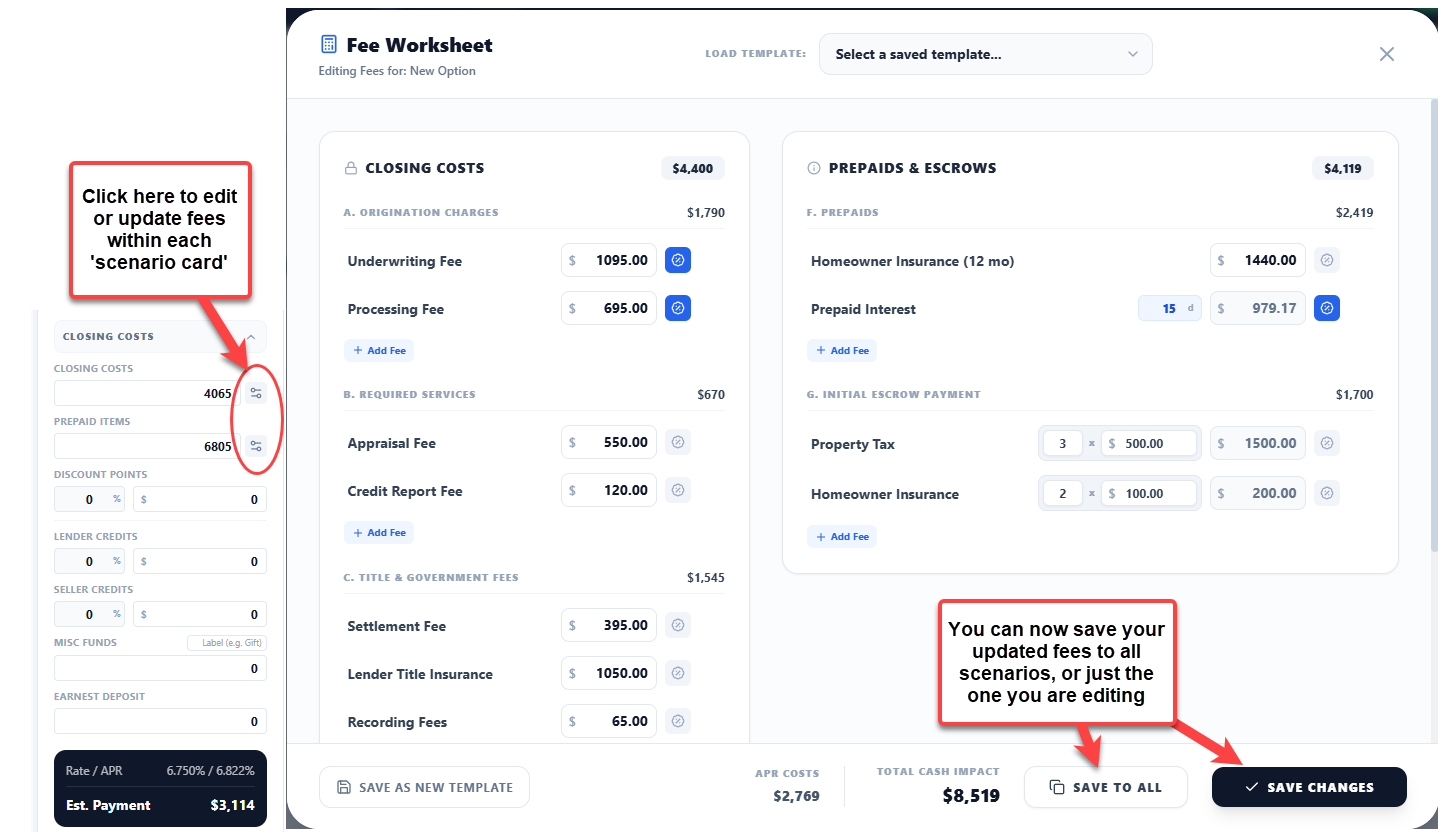
Fee Worksheet: Broadcast & Auto-Sync

Perfect a fee structure on one scenario and broadcast it across your entire dashboard.

Save to All: Apply one fee configuration across every scenario instantly.

Bi-Directional Sync: Update Hazard Insurance or Property Taxes inside the worksheet and the monthly payment inputs on the main scenario card update automatically. No data mismatches between worksheet and presentation.

Fee Worksheet: Broadcast & Auto-Sync
FEATURE

WealthLens IQ, Client Concierge

Your clients now have a 24/7 assistant on every strategy link.

Always On: The WealthLens IQ Client Concierge answers questions about the loan strategy, explains numbers, and walks clients through the analysis in plain language, at any hour.

You Stay In the Loop: Clients stay informed. Late-night anxiety questions go to the AI instead of your phone.

WealthLens IQ, Client Concierge
IMPROVEMENT

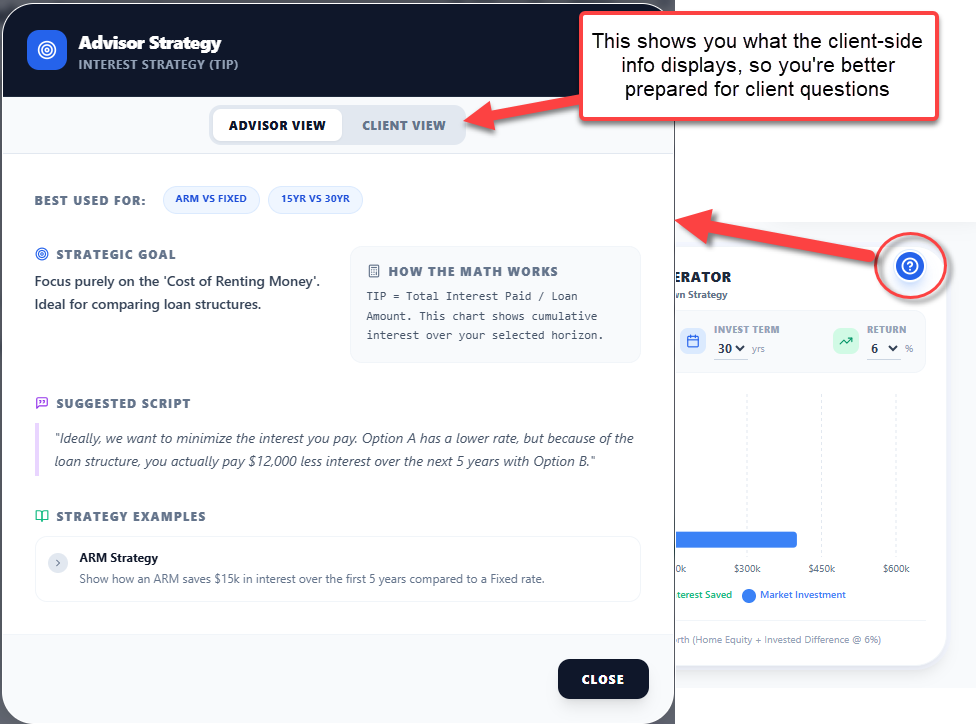
Interactive Help Modules

Every chart in WealthLens now has a dedicated help panel.

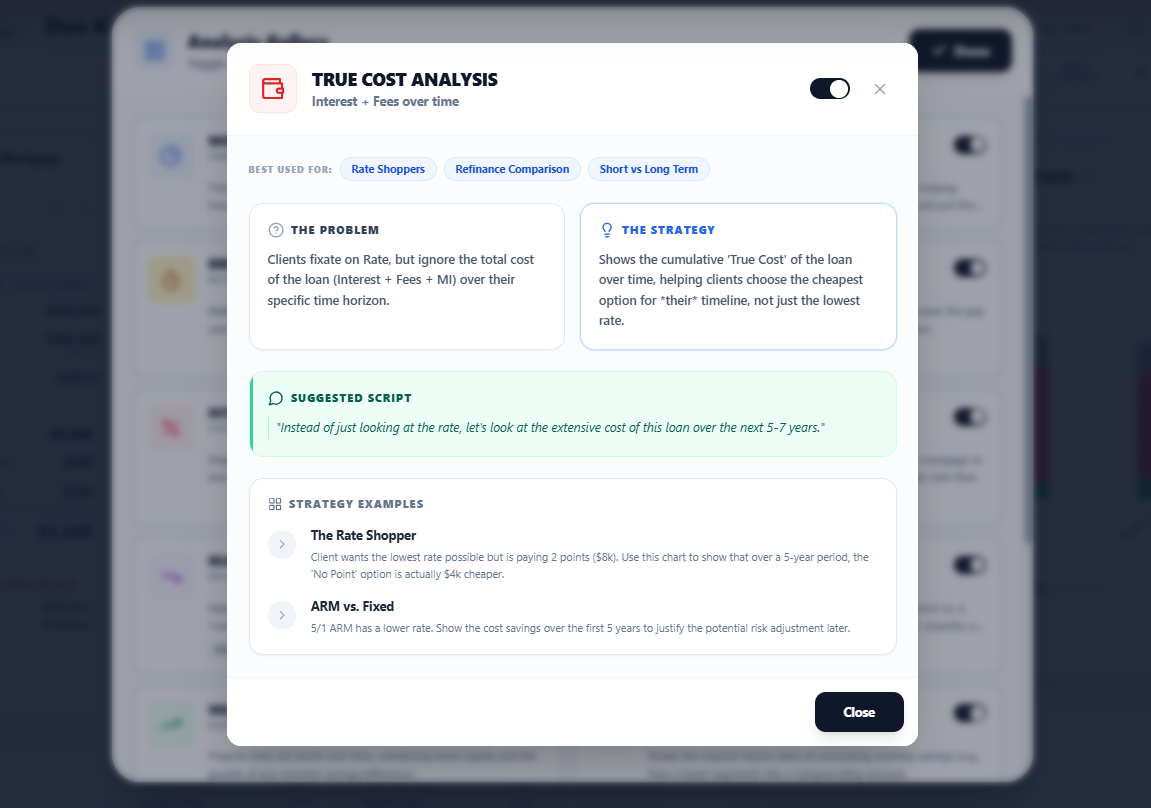
One-Click Prep: Click the '?' button on any analysis module for advisor talking points, the math behind the numbers, and pre-written client-friendly scripts, all tailored to that specific module.

Walk In Ready: Stop winging it. Every conversation starts with the right words already prepared.

Interactive Help Modules

Ready to see it in action?

We're building the future of mortgage advisory.

Get notified when WealthLens launches, and be the first to transform the way you advise clients.